•
IT Services
•
Automate Accounts Receivable
•
Collections
October 31, 2024
5 Ways MSPs Can Streamline Their Accounts Receivable Process

The accounts receivable process includes everything that happens between finishing work for a client and getting paid for that work by receiving that money in your bank account, and recorded correctly in your books. At most MSPs, it runs through a PSA, an accounting system, a payment processor, an inbox, one person’s memory, and a bunch of manual reconciliation.
We know it's a lot to deal with, and making it easier can seem like a mountain to climb, so let's discuss five ways to tighten it all up. Below, you'll notice that each one comes with a trigger that tells you when it’s time to act, who should be responsible for that action, and how to measure whether it worked or not.
We've also separated out reconciliation from chasing late payments, and detailed the procedures where you need each.
What is the accounts receivable process?
Accounts receivable (AR) is money owed to you by customers for goods or services you’ve already delivered. On your balance sheet, accounts receivable is recorded as a current asset. Accounts payable (AP) is money a business owes to suppliers, and it’s recorded as a current liability.
If the basics are new to you, start with this article detailing what accounts receivable means.
The accounts receivable process is the routine that turns credit sales into cash. The accounts receivable process cycle runs from the moment you agree to extend credit to a client to the moment their payment is reconciled in your accounting system.
An efficient accounts receivable process protects your company’s financial health because it decides how soon you collect payment for work you’ve already paid your team to do.
In a September 2026 research brief, the Federal Reserve Bank of Cleveland wrote, “Business processing can be broadly divided into five phases.” It lists them as supplier onboarding, procurement and delivery, invoicing, payment, and reconciliation. Your AR process is the supplier’s side of all five of these phases.
Important steps in the accounts receivable process
The AR process includes invoicing, payment tracking, and cash application, with onboarding before them and review after. Here’s how the accounts receivable process works at an MSP:
- At customer onboarding, you agree on payment terms, decide how much credit to extend, and collect a payment method.
- As work happens, agreements, tickets, projects, and hardware are recorded in your PSA.
- At invoice creation, billable work is turned into an accurate invoice and is sent to the client.
- During payment collection, the client pays, or a saved payment method is charged, and payment reminders cover the gaps in payment delays.
- In cash applications, each payment is matched to its invoice and manually recorded in your accounting software and/or PSA.
- In review, someone is tracking outstanding invoices, working overdue accounts, and settling invoice disputes.
Where the accounts receivable process breaks down
The trouble usually starts well before an invoice is actually late. Billing cycles differ by agreement, and invoices get manually entered and copied from the PSA into the accounting system. The major issue is that nobody is quite sure who should be following up on overdue payments.
It’s a common problem across service businesses. Atradius surveyed businesses for its 2026 report on B2B payment practices in North America and found delayed payments “affecting on average seven in ten firms across the region.” Those payment delays “impact, on average, 23% of B2B receivables.”
The same pattern shows up at the largest companies. In October 2026, The Hackett Group reported that receivables at the 1,000 largest public companies in North America grew nearly twice as fast as revenue. Gerhard Urbasch, an associate principal at the firm, said that “more cash became trapped in the processes that convert revenue into cash.”
How to read the five improvements
Each improvement below has the same three parts:
- The trigger is the signal that something needs to be fixed asap.
- The owner is the role that's clearly responsible and accountable for the trigger in the AR process and prevents bottlenecks.
- The measure is one number you can pull every month to judge accounts receivable performance.
| Improvement | Trigger | Owner | Measure |
|---|---|---|---|
| Bill from your system of record | Invoices go out late or need credit memos | Billing coordinator | Days from period end to invoice sent |
| Schedule reminders and statements | Invoices reach the due date with no contact | AR lead | Share of invoices paid by the due date |
| Offer more ways to pay | Checks and payments by phone | Account manager | Share of invoices paid automatically |
| Write down your payment terms | Exceptions and due-date disputes | Owner or finance lead | Share of invoices paid within terms |
| Review aging on a set day | Surprises at month-end | Finance lead | DSO and receivables over 30 days past due |
1. Bill from your system of record
Manual invoicing is slow and adds to operational costs. Every manually entered line item is also a chance for mistakes that can hold up payment. Automated invoice generation eliminates those manual errors, because the invoice is built from the agreement, ticket, or project record that already exists. It also removes the chance of human error.
Trigger: invoices that need a second try
Act when invoices leave more than a few days after the billing period closes, or when you’re issuing credit memos to fix quantities, prices, or tax that was applied the wrong way.
Owner: your billing coordinator
The person who turns closed tickets and agreements into invoices should be responsible for this change. Your service manager is accountable for time entries being closed on time, since nothing can be billed until they are finalized.
Measure: days from period end to invoice sent
Count the days between the end of a billing period, or the end of a project, and the invoice going out. Count re-issued invoices as well. Automating invoicing can reduce errors and speed up collections, so accurate invoices should also mean a shorter wait.
How to do it
Connect your PSA to your accounting system. Integrating PSA tools with accounting software eliminates double data entry and gives you a connected workflow with fewer errors. Our guide to what should sync in a PSA integration covers the records you'll need to check.
If billing depends on events in other tools, such as an online store, see what API-driven billing makes possible.
2. Put reminders and statements on a schedule
Most late payments from good clients are simply invoices that have been forgotten for one reason or another. Automating payment reminders reduces the time spent following up with customers (especially if you just forget), and the follow-up happens even during busy weeks.
Trigger: invoices that hit the due date without a reminder
Act when invoices are constantly passing their due dates without clients hearing from you with reminders that they've been sent and are awaiting payment, or when follow-up depends on someone remembering to check a list.
Owner: your accounts receivable lead
One person owns the reminder schedule and the exceptions list. In a small MSP, that’s often the office manager, but it can be different everywhere, so choose the right person.
Measure: share of invoices paid by the due date
Divide the invoices paid on or before the due date by all invoices due that month. Timely payment should rise within one or two billing cycles.
How to do it
Send a reminder a few days before the due date, one on the due date, and one a week after. Add a monthly statement that lists every outstanding invoice, so a client with several outstanding payments sees one total.
Automating this kind of dunning improves collections efficiency without tarnishing a client relationship and making you sound like a collection agency. Here’s more on automating follow-up without losing client trust.
3. Give clients more ways to pay
The easier it is to pay you, the sooner customer payments arrive, yet checks are still hanging around as a way to pay. The Cleveland Fed found that “almost 90 percent of businesses still use checks” for at least some of their B2B payments.
Still, Nacha, which runs the ACH Network, reported for the third quarter of 2026 that “B2B payments showed a 9.7% increase this quarter to nearly 2.3 billion.” If you’re deciding which methods to add, our guide to B2B payment options weighs each one from the buyer’s side and yours.
Trigger: checks in the mail and payments by phone
Act when you’re still driving to the bank, manually typing in card numbers over the phone, or answering the question: “How do I pay this?” more than once a month.
Owner: your account manager
The account manager owns this at the customer onboarding phase, because that’s when a client is most willing to put a card or bank account on file. Your finance lead decides which methods you accept and who pays the card fees, which should also be discussed at the customer onboarding stage.
Measure: share of invoices paid automatically
Track the share of clients with a payment method on file and the share of invoices paid without anyone touching them. Automated payment collection helps prevent missed payments from clients, so expect this number to pull your days sales outstanding (DSO) down with it.
How to do it
Offer ACH and cards through a self-service portal, where customers can view invoices, check payment status, and manage their payment methods on their own. That’s good for customer satisfaction too.
For a large project or an emergency hardware replacement, installments let a client spread the cost.
If your clients are attached to checks, this story of an MSP that moved from checks to digital payments shows how the conversation can go.
4. Write your payment terms down and apply them every time
Clear payment policies help you manage customer payment expectations. Standardizing billing reduces confusion and minimizes disputes, because clients know when and how they’re expected to pay.
Trigger: exceptions and arguments about due dates
Act when the same client pays late every month with no consequences, or when you realize that you or your team are constantly granting extensions.
Owner: your owner or finance lead
Credit policies are a leadership decision. The owner or finance lead writes them, account managers present them at signing, and the AR lead applies them.
Measure: share of invoices paid within terms
Compare customer payment history with the payment terms each client agreed to, and count the exceptions you grant each month.
How to do it
Put the terms in your master services agreement and on every invoice. State the due date, the payment methods you accept, any late fee your agreement allows, and the deposit you require on a project.
Credit checks help you understand a new customer’s payment reliability before sales take place, which really matters before you extend them credit on a large order. If you offer early payment discounts, price them carefully. An early payment discount can improve cash flow, but it comes right out of your margin.
Our guide to payment terms for MSPs goes deeper on the options.
5. Review accounts aging and payment data regularly
An accounts aging schedule categorizes unpaid invoices by how long they’ve been due. Regularly reviewing aging schedules helps you identify overdue accounts while they’re still easy to fix.
Effective accounts receivable management reduces the risk of bad debt and improves cash flow, which gives you financial stability when a slow month comes.
Trigger: surprises at month-end
Act when you learn about a 60-day-old invoice from your bank balance, or when you can’t say today how much is tied up in outstanding customer invoices.
Owner: your finance lead
The finance lead or bookkeeper prepares the review, and the owner makes the calls on credit risk and bad debt. Monitoring accounts receivables anomalies weekly helps prevent cash flow issues, so put 20 minutes on the calendar.
Measure: DSO and receivables over 30 days past due
Days sales outstanding (DSO) measures the average collection time for your receivables. A lower DSO indicates faster collections and healthier cash flow. If the number won’t move, then check out this article to see why DSO might be a process problem for you.
Here’s an example: with $120,000 in outstanding receivables at the end of a quarter and $360,000 in net credit sales for that quarter, DSO is 120,000 divided by 360,000, times 90 days, which is 30 days.
The accounts receivable turnover ratio indicates collection efficiency from the other direction. It’s net credit sales divided by average accounts receivable, and a higher turnover ratio means quicker customer payments.
How to do it
Pick a day, and generate reports the same way each time. Measuring key performance indicators gives you visibility into cash flow health, and it helps you forecast future cash flow. Our article on the financial metrics every MSP owner should monitor covers the other key metrics.
Reconciliation and chasing payments are different jobs
Managing accounts receivable is often handed to one person as one task, but it’s two jobs that call for different skills.
Reconciliation is the bookkeeping half of the job. The Cleveland Fed describes it as “comparing different sets of data, identifying and investigating differences.” It says a supplier’s AR function records each payment and “matches it against remittance and invoice records to verify accuracy and completeness.”
In plain terms, reconciliation means you match incoming payments to invoices so your financial records agree with your bank.
Chasing invoices and payments is the client-facing half of the job. It starts when an invoice is overdue, and it ends with a payment, a plan, or an escalation.
| At a glance | Reconciliation | Chasing |
|---|---|---|
| What starts it | A payment or payout arrives | An invoice passes its due date |
| Who owns it | Bookkeeper or accountant | AR lead or account manager |
| How you know it’s working | No unapplied payments at month-end | The overdue balance is shrinking |
Keeping the two apart is also a way to get better control of each pain point. Segregation of duties in the accounts receivables processes strengthens financial oversight and helps prevent fraud, because the person who applies cash isn’t the only one who can write off an invoice.
Financial automation helps businesses improve cash flow and cut manual work, and reconciliation is where it changes the most. When payments sync back to your PSA and accounting software, matching happens without any manual work. Our MSP billing guide walks you through it from invoice to reconciliation. For the PSA side on its own, see how to automate payment reconciliation with your PSA.
Collections steps worth keeping in mind
A structured collection process improves collection rates without damaging customer relationships. Keep these steps in mind next time you need to work on collections and use them in this order:
- Review overdue invoices every week, oldest first.
- Send the scheduled reminder, then call.
- Resolve invoice disputes quickly, and correct the invoice if the client is right.
- Offer a payment plan or take a partial payment when a client is short on cash.
- Send a final written notice before you escalate to a collection agency or an attorney.
- Decide on write-offs and doubtful accounts at leadership level, and record why.
Regularly reviewing your collection policies keeps the AR process efficient, so put a yearly review on the calendar.
Effective collections reduce overdue balances and improve cash flow, but the detail matters. For the full procedure, see the steps to take before sending a client to collections. For the policies behind your collection efforts, see our five accounts receivable management controls.
How Alternative Payments aligns and helps you get paid faster
Here’s how Alternative Payments lines up with the five improvements:
- It integrates with ConnectWise, Autotask, HaloPSA, and SuperOps, and with QuickBooks Online, QuickBooks Desktop, Xero, Sage Intacct, NetSuite, Microsoft Dynamics 365 Business Central, Zoho Books, and FreshBooks. Invoices are pulled in automatically, and payments are reconciled back.
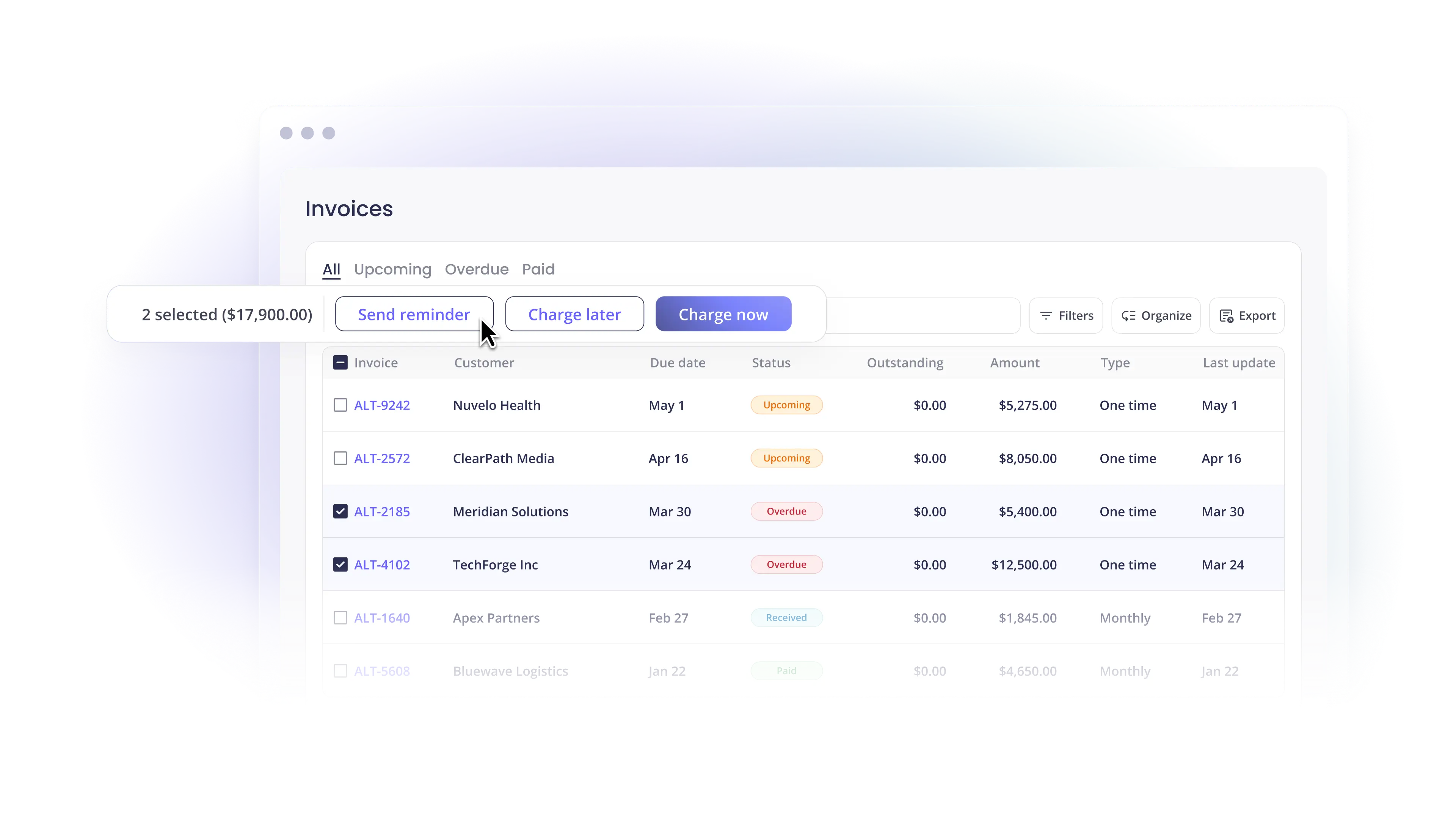
- Invoice reminders go out based on each invoice’s due date or creation date, and invoice summaries list every outstanding invoice for a client.
- Clients can pay by ACH or card in a payment portal, and US businesses can apply to pay in installments. Auto-Pay rules charge a saved payment method on the schedule you set.
- Insights show time to pay, AR aging, and the share of payments that are automatic, by client.
- Collections Assist lets US partners hand an invoice that’s more than 30 days overdue to a third-party collections team.
Alti, the financial intelligence inside Alternative Payments, can also take on the chasing. Its Collections Agent groups overdue accounts into aging buckets, drafts the outreach emails, and offers to enroll chronic late payers in Auto-Pay. Nothing is sent or changed until you approve it. Alti is rolling out to eligible accounts.
Accounts receivable process FAQ
What are the 5 C’s of accounts receivable management?
They’re the five C’s of credit: character, capacity, capital, collateral, and conditions. Finance teams use them to decide what credit terms to offer a customer. For an MSP, they matter most when a new client asks for terms on a large project.
How is accounts receivable different from accounts payable?
Accounts receivable is what clients owe you, and accounts payable is what you owe vendors. Both appear in your financial statements. Managing the timing between them is most of what maintaining healthy cash flow means for a service business, and it’s what funds business growth.
Start with one number
Pick the improvement whose trigger sounds most like your last month, and write down today’s value for its measure. Then change one thing and check the number again in 30 days. To turn that measure into a quarterly goal, see our guide to financial OKRs for MSPs.
If you’d like to see the entire accounts receivable process running on your own PSA and accounting software, book a demo.
Sources: Federal Reserve Bank of Cleveland, part one and part two (September 2026), Atradius (September 2026), The Hackett Group (October 2026), Nacha (October 2026), and our help center.
Reviewed by Daniel Reiter, Creative Director at Alternative Payments, on November 20, 2026.
Simplify your customer payments, unlock instant cash flow
Keep reading


The problem with net 60 payment terms and why waiting to get paid costs you more than you think

5 Ways MSPs Can Streamline Their Accounts Receivable Process