•
IT Services
•
Automate Accounts Receivable
•
Collections
•
Reduce DSO
•
Accounting
June 24, 2026
Automate MSP Payment Reconciliation With Your PSA
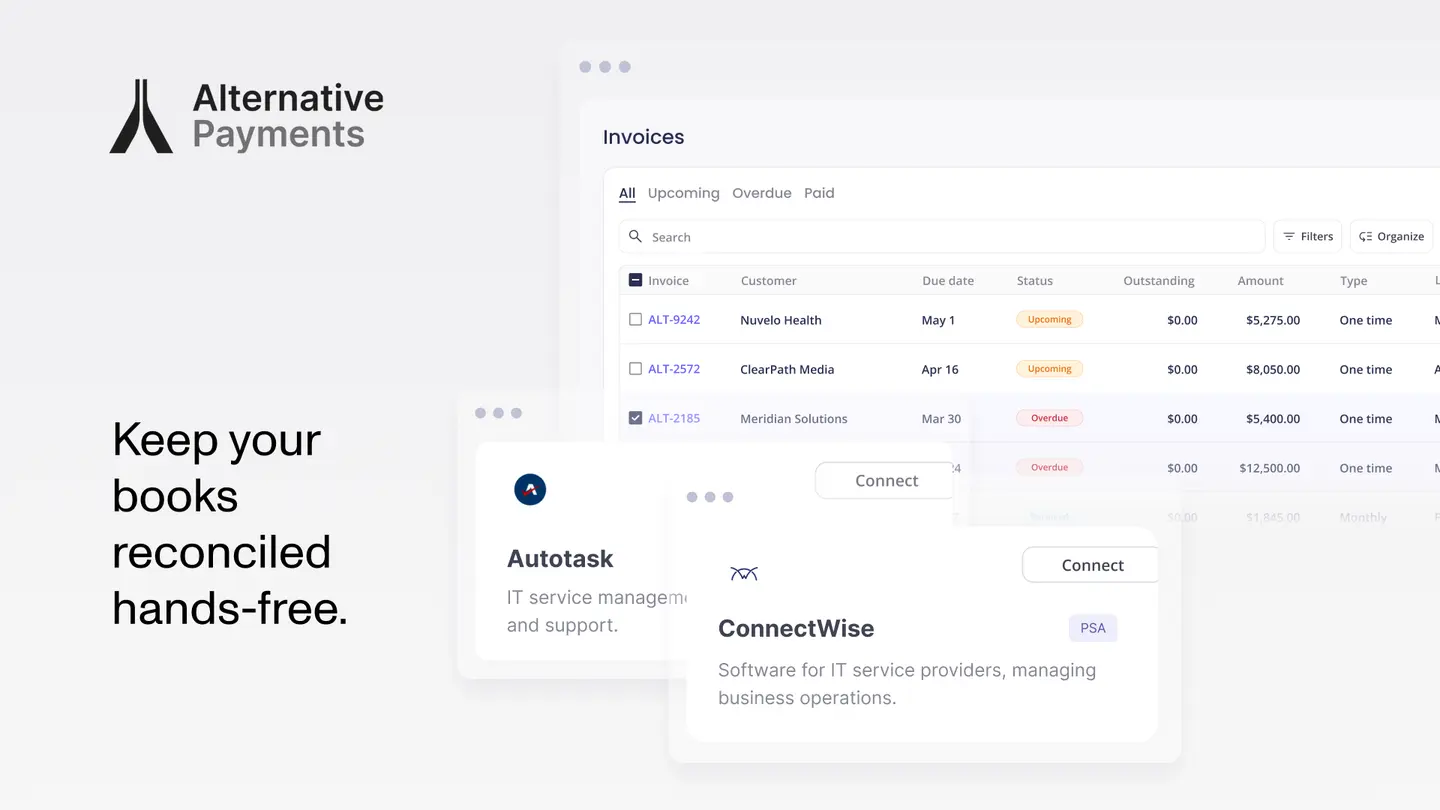
If you run an MSP, you generate invoices in ConnectWise or Autotask, then spend hours each month matching deposits to invoices by hand. Your PSA creates the invoice. It does not collect the payment, charge a stored card on schedule, or post the settlement back to your accounting system. That gap between invoice and reconciled cash is exactly what payment automation closes.
Yes, the manual reconciliation can be automated. A payment platform that syncs natively with your PSA pulls each invoice, charges your client's stored payment method automatically, and maps every payment back to the right invoice in your books, without your team touching a spreadsheet. Below, we walk through how MSPs handle payment processing today, where it breaks, and how to fix it across the full billing lifecycle: issuance, communication, collection, reconciliation, and reporting.
Why Manual Reconciliation Eats Your Month
Most MSPs start with a setup that works fine at 20 clients and quietly breaks at 100. The PSA generates invoices. A separate processor takes card payments. Accounting lives in QuickBooks. Nothing talks to anything else, so a person becomes the integration: exporting CSVs, matching deposits to invoices, and chasing overdue balances by email.
The cost is real, and it is not just time. According to Atradius's 2024 B2B payment practices report for the United States, half of all US B2B invoices are currently overdue, and the main reason companies cite for late payments is administrative inefficiencies in the payment process. When paying you is awkward, clients pay late. When reconciliation is manual, errors compound month over month and your aging AR gets harder to read.
The numbers move when you automate. Companies that do not use AR software collect, on average, 28 days after the due date; companies that do drop to 23 days, according to Alternative Payments' State of B2B Payments in 2024. That same analysis found 42% of payments are now fully automated. Faster collection and cleaner books come from the same fix: connecting the systems that already run your business.
What Your PSA Does Well, and Where It Stops
ConnectWise and Autotask are the two most widely deployed PSA platforms among small and mid-sized MSPs. Both handle invoice generation well. The gap shows up after the invoice exists.
- ConnectWise PSA has a strong agreement engine for recurring services, time and materials, and milestone billing. It generates invoices from tracked work. Where it stops: ConnectWise does not natively process payments, auto-charge stored payment methods, or reconcile collected funds back to accounting.
- Autotask (Kaseya) handles invoice generation and contract management well. It tracks billable time and maps contracts to clients. Where it stops: payment collection, automated reminders, and GL reconciliation still require an external integration.
In both cases, the missing layer is the same. You need a payment platform that connects natively to pull invoices, collect payments, and push settlement data back, without middleware or manual exports. We cover this PSA-by-PSA in our guide to where your PSA stops and AR automation begins.
Native Integration vs. a Bolt-On Connector
Not every "integration" closes the loop. The difference between a native PSA sync and a bolt-on connector determines how much manual work is left in your process.
Bolt-on integrations wired through Zapier or generic APIs tend to import invoice totals without line-item detail, require manual mapping between PSA entities and accounting categories, and break when PSA data structures change. The reconciliation gaps leave compound over months.
A native, two-way integration works differently:
- Invoice data flows from the PSA to the payment platform with full line-item detail.
- Payment status updates push back to the PSA in real time.
- Settlements reconcile to accounting automatically.
- Contract changes in the PSA reflect immediately in billing.
So the question to ask a vendor is not "Do you integrate with ConnectWise or Autotask?" It is "Do you sync bidirectionally, in real time, with no middleware required?" That distinction is the whole point of native PSA integration.
Let Clients Store a Card and Pay Automatically
The single highest-impact feature for reducing DSO is auto-pay. When a client stores a payment method once and authorizes recurring charges, your monthly invoices collect themselves on schedule. No reminder emails. No "I'll pay it next week." No re-keying card numbers.
Done right, auto-pay should support more than one method in one branded checkout:
- ACH — the right default for recurring MSP billing. It carries lower processing costs than cards, which matters when you are charging the same agreements every month. Read why ACH beats credit cards for MSP billing.
- Credit cards — for clients who prefer them or want to manage cash flow on a card.
- Client-facing financing — installments and B2B buy now pay later, so a large project invoice does not stall in approval.
The checkout should be white-label, carrying your brand rather than a processor's. A branded portal reduces friction and speeds time-to-pay, and it keeps the experience consistent with the rest of your client relationship. See how auto-pay lowers collections workload while protecting margin.
How Reconciliation Actually Gets Automated
Here is the part that ends the spreadsheet ritual. When a payment clears, automated reconciliation maps it to the specific invoice it covers and posts the entry to your accounting system. The invoice is marked paid in your PSA. The settlement appears in QuickBooks. No one matches anything by hand.
Walk the lifecycle end to end:
- Issuance — The invoice is created in ConnectWise or Autotask and syncs to the payment platform with full detail.
- Communication — The client receives a branded request and can pay or rely on a stored method.
- Collection — Auto-pay charges ACH, card, or financing on schedule; retries handle soft failures.
- Reconciliation — The cleared payment maps to the invoice and posts to accounting automatically.
- Reporting — DSO, exception rates, and on-time payment ratios surface in one view.
That last stage matters more than it looks. When reconciliation is automatic, your reporting is finally trustworthy, because the data underneath it is not assembled by hand. You can see AR health metrics that actually drive decisions instead of reconstructing them at month end.
When Invoices Still Go Past Due
Automation reduces overdue invoices, but it does not eliminate them. Some clients dispute, some go quiet, and some simply run late. The historical success rate for recovering delinquent receivables is approximately 40%, meaning a business may recover about $0.40 for every delinquent dollar, according to Alternative Payments' Collections Assist announcement.
Collections Assist embeds that recovery work inside the payment platform. You submit overdue invoices, and the system activates automated collections workflows without the paperwork or separate vendor relationship a traditional agency requires. It is the same lifecycle, extended to the invoices that need a firmer follow-up.
Generic Processor vs. Purpose-Built MSP Platform
A generic processor treats every invoice like a one-off ecommerce transaction. A purpose-built platform respects how MSP billing actually works: contract-driven, recurring, and tied to a PSA.
| Capability | Generic processor | Purpose-built MSP platform |
|---|---|---|
| Contract awareness | Treats invoices as one-off charges | Understands recurring agreements and line items |
| PSA integration | Manual export or middleware | Native two-way sync with ConnectWise and Autotask |
| Reconciliation | Manual matching | Automatic mapping to invoice and GL |
| Payment methods | Cards, sometimes ACH | ACH, cards, and client-facing financing in one checkout |
| AR visibility | Transaction logs | DSO, exception rates, and on-time payment ratios |
Alternative Payments is built for U.S. and Canadian service businesses running on recurring revenue. It connects natively to ConnectWise and Autotask, collects on ACH, cards, and financing through a white-label checkout, and reconciles every payment back to your accounting system, so the work that used to fill your month happens on its own.
Frequently Asked Questions
Can I automate reconciliation between my PSA and accounting system?
Yes. A payment platform with native, two-way PSA integration pulls each invoice, collects payment, then maps the cleared payment back to the specific invoice and posts it to your accounting system automatically. There is no CSV export and no manual matching. For a deeper walkthrough, read how to connect payments to your PSA and invoicing tools.
Can my clients store a credit card and pay automatically?
Yes. With auto-pay, a client stores a card or bank account once and authorizes recurring charges, so future invoices collect on schedule without reminders. A good platform supports ACH, cards, and financing through a single branded checkout.
What is the best MSP billing software that integrates with Autotask or ConnectWise?
The best fit is one that connects natively to your specific PSA, supports configurable auto-pay rules, and reconciles payments to accounting automatically, rather than relying on middleware. Prioritize bidirectional, real-time sync over a bolt-on connector.
How do MSPs handle payment processing and invoicing?
The PSA generates invoices; a connected payment platform handles collection, communication, reconciliation, and reporting across the billing lifecycle. The platform charges stored methods, posts settlements to accounting, and surfaces AR metrics. Our MSP Payments 101 guide covers the full picture for owners.
Does this work outside the United States? Alternative Payments serves recurring revenue service businesses in the United States and Canada.
Stop Reconciling by Hand
Your PSA already creates the invoices. The missing piece is the layer that collects, reconciles, and reports without manual work. When that layer syncs natively with ConnectWise or Autotask, the month-end ritual disappears: payments collect on schedule, settlements post themselves, and your AR metrics are accurate the moment you open the dashboard.
That is the difference between bolting another portal onto your stack and actually closing the loop from invoice to deposit. If manual reconciliation is eating your month, see how native ConnectWise and Autotask integration handles collection, reconciliation, and reporting in one place. Book a demo and watch a payment map itself to the right invoice.
Simplify your customer payments, unlock instant cash flow
Keep reading