•
Automate Accounts Receivable
•
Accounting
•
IT Services
•
Collections
•
Reduce DSO
•
Professional Services
•
Automate Accounts Payable
July 1, 2026
Best Accounts Payable Software for Service Businesses (and When You Need AR Automation)
If you run a service business and you search for the best accounts payable software, there is a good chance you need the opposite of what you typed. Accounts payable (AP) software manages money you owe vendors. If your real problem is messy books at month end, late client payments, or hours lost matching deposits to invoices, the tool you need is accounts receivable (AR) automation, software that collects, reconciles, and reports on the money clients owe you.
That distinction shapes everything: which integrations matter, how fees hit your margin, and whether your books actually close clean. This guide explains both sides plainly, shows how to evaluate accounts payable software for a recurring-revenue service business, and names the criteria that separate a purpose-built tool from a generic processor.
AP vs. AR: Which One Keeps Your Books Clean?
The terms get confused constantly, so start here.
- Accounts payable (AP) is money your business owes to others: vendor bills, software subscriptions, contractor invoices. AP software automates approvals and outbound payments.
- Accounts receivable (AR) is money clients owe you: the invoices you send for managed IT, telecom, accounting, or other recurring services. AR automation handles collection, reconciliation, and reporting on incoming cash.
Here is the tell. If your pain is "I can't tell what's been paid," "clients pay late," or "reconciliation eats my month-end," you have an AR problem, not an AP one. Most managed service providers (MSPs) and service firms searching for AP software fall into this group. They bill clients on contracts and need the inbound side fixed.
That does not mean AP automation is worthless. The data behind it is real: the average cost to process a single invoice manually runs about $15, and per Ardent Partners' State of ePayables research, organizations using AP automation cut invoice processing costs by roughly 80%. Manual processes also carry a human cost: roughly 78% of AP teams report stress from poor processes. If your team is buried in vendor bills, dedicated AP automation earns its keep.
But for a service business living on recurring revenue, the larger leak is usually on the receivable side. For a deeper breakdown, read our guide on how accounts receivable software differs from accounts payable.
What "Clean Books at Month End" Actually Requires
Clean month-end close is not one feature. It is a chain of handoffs that has to stay in sync: invoice issuance, client communication, collection, reconciliation, and reporting. Break any link and the close turns into a multi-day scramble of matching bank deposits to invoices by hand, work that runs 5–10 hours per month for service businesses using manual methods.
A platform that keeps books clean does four things without human triage:
- Maps every payment to the right invoice. When a client pays, the payment posts back to QuickBooks or Xero with invoice-level detail, and the invoice status updates automatically.
- Eliminates manual matching. No exporting CSVs, no ticking and tying deposits against the general ledger (GL) at month end.
- Keeps the PSA, platform, and accounting system in lockstep. Invoice data flows PSA → payment platform → accounting without re-entry.
- Surfaces AR health in real time. You see days sales outstanding (DSO), overdue rates, and on-time payment ratios on demand, not three weeks after the period closes.
The bar to look for is full auto-reconciliation, not just invoice sync. Many tools claim accounting integration but only push invoices one direction, leaving the match-back as manual work. That gap is exactly what keeps the close slow. Our breakdown of why autonomous reconciliation matters covers the distinction in detail.
How to Evaluate Accounts Payable Software for a Service Business
Every firm starts from a different place, so match the platform to the problem you are actually solving. Use these six criteria.
Integration depth with your PSA and accounting stack
For MSPs, native integration with ConnectWise, Autotask, or HaloPSA is the foundation. Native means bidirectional and real time. Invoices sync automatically and payment status pushes back without middleware or CSV exports. On the accounting side, confirm the platform reconciles to QuickBooks and Xero, not just connects to them. See how PSA integration changes MSP operations for what bidirectional sync looks like in practice.
Automated reconciliation, not just invoice sync
This is the criterion most comparison posts skip. Ask the vendor a direct question: when a client pays, does the payment post back to my accounting system with invoice-level detail and update the invoice status, with no manual matching? If the answer is anything short of yes, you will still own the month-end reconciliation work.
Payment methods and client-facing financing
Clients should pay through one branded checkout that supports ACH, credit cards, and client-facing financing like installments or B2B buy now pay later (B2B BNPL). ACH lowers your processing cost; financing reduces friction on larger project invoices so you collect in full instead of waiting. The capability pairs with a clear outcome: more ways to pay means faster time-to-pay.
Collections automation
Chasing overdue invoices by hand burns time and erodes client trust. Look for automated reminder sequences that escalate on a configurable schedule across every client account. Collections Assist handles reminders, follow-up, and escalation without your team writing individual emails.
Reporting and visibility
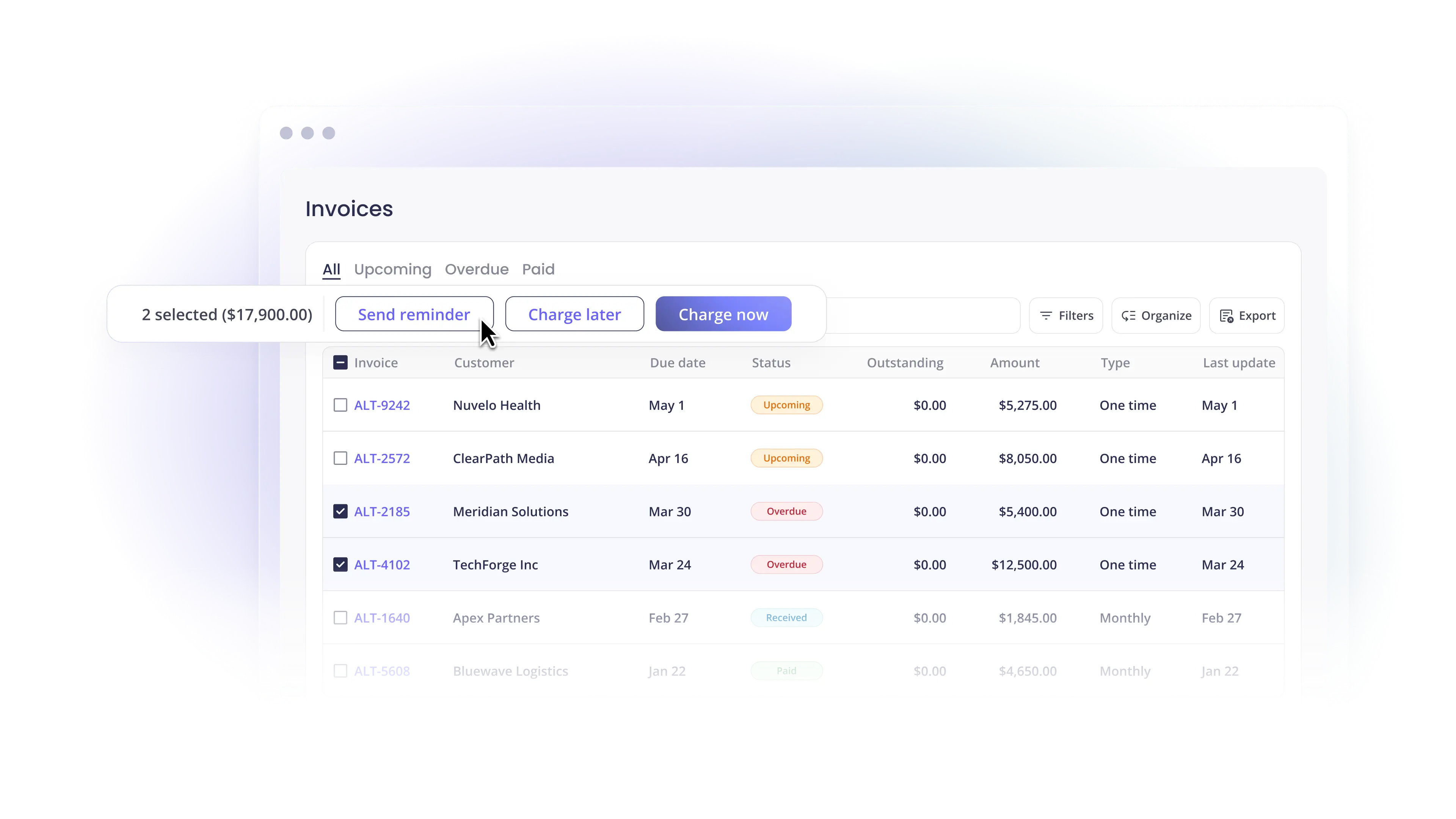
You cannot improve what you cannot see. The platform should surface DSO, exception rates, and on-time payment ratios in one view so finance leaders catch a slipping client before the balance grows. Real-time visibility also makes the month-end close predictable instead of reactive.
Pricing model and accounting firm requirements
Understand whether pricing is flat-monthly or per-transaction, since per-transaction fees scale with your invoice volume. Accounting firms managing client payments have an added requirement: trust accounting compliance to keep client funds separate from operating funds. If you run a firm, prioritize a platform built for that workflow. Our guide on integrating payments with QuickBooks for accounting firms walks through it.
Generic Processor vs. Purpose-Built Platform
The choice usually comes down to this contrast.
A generic processor (think general-purpose card processors) treats every invoice like a one-off ecommerce transaction. It collects a payment, but the data often lives outside your accounting system, so someone reconciles it back into QuickBooks or Xero by hand. It does not understand contract logic, recurring billing, or the PSA your MSP runs on. The result is scattered payment data and a reconciliation step you thought you were automating.
A purpose-built platform starts with the PSA and finishes in the GL, automating the bridge in between. It respects how contract-driven service businesses actually bill. Payments map to invoices, post to accounting, and update across systems without manual cleanup.
The difference shows up in the numbers. Across service businesses, the median DSO sits around 56 days. On a purpose-built platform, overdue invoices drop from 20.5% to 6.7%, and customers reach an average DSO of 5 days, cash that would otherwise sit trapped in aging AR.
Where Alternative Payments Fits
We built Alternative Payments for U.S. and Canadian service businesses that run on recurring revenue: MSPs, telecom companies, and accounting firms. The platform unifies collection, reconciliation, and financing in one place:
- Native PSA integration: bidirectional, real-time sync with ConnectWise, Autotask, and HaloPSA, no middleware required.
- Automated reconciliation: every payment maps to the right invoice and posts to QuickBooks or Xero, eliminating the month-end match-back.
- White-label checkout: clients pay through a branded portal that carries your brand, not a third-party processor's.
- Client-facing financing: offer ACH, credit cards, installments, and B2B BNPL in one checkout, with no ACH fees.
- AR automation: Collections Assist reduces overdue invoices with automated reminders and transparent client communication.
- Reporting and visibility: track DSO, exception rates, and on-time payment ratios in a single view.
The result is fewer overdue invoices, faster cash flow, and a close that no longer feels like a monthly fire drill.
Book a demo to see how reconciliation runs on your stack.
Frequently Asked Questions
Do service businesses need accounts payable or accounts receivable software?
Most need accounts receivable (AR) automation. AP software manages money you owe vendors; AR automation collects, reconciles, and reports on money clients owe you. If your pain is late client payments or slow month-end reconciliation, you have an AR problem. Read how AR and AP software differ to confirm which one fits.
What is the best accounts payable software for MSP companies?
For MSPs, the higher-value fix is usually AR automation that integrates natively with your PSA (ConnectWise, Autotask, or HaloPSA) and reconciles automatically to QuickBooks or Xero. Prioritize bidirectional sync and full auto-reconciliation over a long feature list.
How does payment software keep my books clean at month end?
It maps every client payment to the right invoice and posts it to your accounting system automatically, so there is no manual matching at close. That eliminates the 5–10 hours per month many teams spend reconciling deposits by hand.
What should accounting firms managing client payments look for?
Beyond QuickBooks or Xero integration, accounting firms need trust accounting compliance to keep client funds separate from operating funds, plus auto-reconciliation that posts payments back with invoice-level detail. See our QuickBooks integration guide for accounting firms.
Is a generic payment processor good enough for a recurring-revenue business?
Usually not. Generic processors treat invoices as one-off transactions and leave payment data outside your accounting system, which recreates the manual reconciliation you were trying to remove. A purpose-built platform syncs with your PSA and reconciles to your GL automatically. Alternative Payments serves recurring-revenue companies in the U.S. and Canada.
Simplify your customer payments, unlock instant cash flow
Keep reading


AI CFO, virtual CFO, or finance assistant: choosing the right support

AI agents in finance: How to keep a human in the loop when it comes to running your business