•
AI
•
Automate Accounts Receivable
•
Collections
•
Security
•
IT Services
•
Accounting
September 29, 2026
AI agents in finance: How to keep a human in the loop when it comes to running your business

You open your email to see 14 actions waiting in your inbox for your approval. Most are charges to clients' accounts. One is a refund for a duplicate payment.
"Human in the loop" is supposed to make the approvals your safeguard. Most vendors selling AI agents in finance use the phrase to reassure finance leaders that someone reviews what the AI agent produces. But the phrase only answers one question: is a person involved at all? It doesn't say which person, how qualified they are to approve the action, what stage they're involved in, or how closely they're reviewing it.
So how does this loop protect you? An account manager would flag if a late fee is about to hit an account with a recent payment extension in place, but a finance admin clearing the queue between meetings may not have that level of client detail. Yet the audit log will record both approvals the same way. The AI tools doing the drafting don't help either. Their batched approval queues and tidy summaries are designed to speed up approval, which is what wears down attention.
The more useful question is what a human needs to know for the loop to mean anything. This article covers a 3-question test for sorting your finance work into what an AI agent can run autonomously, what an AI agent can do with your input, and what should always stay with you.
What are AI agents in finance?
An AI agent in finance uses large language models (LLMs) and live financial data to plan and complete multi-step tasks, such as finding every client over 30 days late, then drafting a reminder to each one. Unlike traditional automation, intelligent agents choose their own steps toward a goal instead of following a fixed script.
An AI agent in finance, sometimes called an AI finance assistant, can answer your finance questions, interpret data, and decide what to do next with that information. This is valuable for saving you time but also risky, since the wrong action can land you in hot water with a client.
AI agents are different from rule-based systems (e.g., autopay or scheduled reminders), which are set up to do exactly what you configured them to do. For more on that distinction, see “Understanding the differences between AI and automation.”
Most of what's written about AI agents in finance and financial services targets the financial sector: financial institutions using agents for credit scoring and fraud detection, trading tools that read market data and execute trades automatically, and robo-advisors offering personalized financial advice. That's a different job from running the financial operations of a business that bills clients.
3 questions that sort every task in your finance operations
In PwC's AI Agent Survey, 79% of US executives said AI agents are already being adopted at their companies. But only 38% of US executives said they trust AI agents with data analysis, and just 20% trust them with financial transactions.
That caution makes sense. If an AI agent charges a batch of retainer clients the wrong amount, you're issuing refunds one by one and untangling account reconciliation in your general ledger before month-end close. Before you hand any task to an AI agent, ask these 3 questions:
- Is what’s needed to make the decision visible in the data? Invoice data, payment history, and balances live in your PSA, your accounting software like QuickBooks or Xero, and your payments platform. The renewal conversation you had with an account manager earlier in the week over Slack doesn't.
- Can the action be undone? Accidentally marking an invoice as paid in QuickBooks is simple enough to undo. But a charge to a client's card? You can't take that back without the hassle of voiding it through the payment processor or issuing a refund.
- Does the information stay internal? While financial reporting stays within your internal systems, a client reminder email doesn't. An agent can still draft a client-facing email, but it still needs a manual review before it goes out.
The answers sort every task into Assistance, Approval-gated, and Human judgment:
| Is the data visible? | Is the action reversible? | Does the information stay internal? | What the agent does | |
|---|---|---|---|---|
| Assistance | Yes | Yes | Yes | Runs on its own |
| Approval-gated | Yes | No | No, touches a client or moves money | Prepares the action for a named person to approve |
| Human judgment | No, some information lives outside connected tools | Depends* | Depends* | Supplies the facts, while a person makes the final decision |
*Human judgment calls can go either way when it comes to being reversible or internal, but what both have in common is that they depend on context the system doesn’t have access to.
What AI agents can handle without asking for your input
When the answer lives entirely in your available data, and nothing reaches your client, requiring approval just adds a step without making anything safer. Here's what that looks like in practice:
- An MSP's operations lead asks which clients on recurring contracts don't have a payment method on file.
- An accounting practice gets a weekly list of retainer clients with invoices past 60 days, sorted by balance.
- The owner of a landscaping business gets a report of who paid last month and who didn’t.
This is where AI agents work best today. They can monitor cash flow in real time and reduce manual effort on repetitive tasks like data collection, variance analysis, and continuous validation. This frees your team to focus on forecasting, financial planning, and strategic analysis. And when tools like ConnectWise and QuickBooks are connected, an agent can reconcile the numbers across systems continuously, validating data from bank feeds to cash positions. That leaves less room for human error than someone copying and pasting figures between disconnected systems.
When the AI agent can’t charge anyone or change a record, it’s safe to let it run unattended.
When finance AI agents should wait for your sign-off
Some tasks give the agent all the data it needs, but if the result moves money or reaches a client, those need a person to sign off. Here are some examples of when a person should approve:
- An MSP's Accounts Receivable (AR) manager reviews a charge to an enterprise client's saved card for three overdue invoices.
- An accounting practice's managing partner approves a new autopay rule that charges every retainer client on the 1st of the month. Once approved, the rule runs every month, so it’s important to check which clients it covers before signing off.
- A staffing agency owner approves a refund for a customer who accidentally paid the same invoice twice.
The agent can still do most of the heavy lifting, like pulling an invoice, calculating the amount, and drafting the message, with fewer errors than doing it by hand. But it shouldn't email a client or charge on its own.
The same applies to Accounts Payable. PwC estimates that AI-driven invoice extraction and purchase order matching can cut procure-to-pay cycle times by up to 80%. While invoice validation and discrepancy checks are safe to hand off, a person should still release the payment. That split holds across order-to-cash and record-to-report too: routine work goes to the agent, and exception handling goes to a person.
A good approval screen tells you exactly what happens when you click approve: which client, how much, which invoices, and why.
Why decisions that depend on business context shouldn't be automated
AI agents and other intelligent systems can handle complex processes, but some decisions hinge on information that isn't available in any of your connected tools or systems. An agent can't weigh what it can't see, and neither can the person approving its recommendation. An approval step doesn't help here, because the approver would be judging the same incomplete picture the AI agent had. Here are some real-world scenarios:
- An MSP’s enterprise client is 45 days past net 30. Your PSA and billing platform show the invoice is overdue and a card is on file. What neither knows is that your team is 3 weeks into a renewal.
- A fixed-fee engagement ran well over scope. Your accounting practice management software, like Karbon or Canopy, shows additional logged hours. But it can't tell you what the client relationship is worth to your practice, or whether a one-time write-off buys goodwill you'll need later.
- A long-standing loyal client is late on its payment for the first time. You don’t know if it's a temporary cash flow problem on their side or a dispute about the work your team delivered.
An AI agent can still support your risk assessment by flagging that a client broke their usual payment pattern and putting their payment history and customer behavior in front of you. What it means for your cash flow, and what you do about it, is financial decision-making that takes human expertise and judgment.
When human approval becomes a meaningless rubber stamp
As a risk management tool, an approval gate is only as good as the approver's ability to judge what's in it. Here are 3 signs your approvals have turned into a formality:
- Volume outpaces attention. Approvals clear in batches faster than anyone could possibly read them, so the approver ends up trusting the agent by default. This user behavior is well documented. A 2025 review of 35 studies found that people routinely over-rely on AI recommendations, especially when other tasks compete for their attention.
- The summary shows the action, not the context. The approval screen shows the amount and the client, and if your PSA and accounting platform are connected, the contract terms too. It won't show the side agreement your account manager made on a client call yesterday, like a last-minute payment extension.
- Approval rights and account knowledge sit with different people. While admin access usually belongs to the finance team, client knowledge lives with the people who work with the client day to day, like technicians at an MSP or partners at an accounting firm. That split is normal, but it also makes approval a formality: the person with the authority doesn't have the full business context.
When your audit trail shows a named approver on every action, it looks like strong human oversight to auditors and compliance teams. But if the reviewer doesn’t have the full picture, the log records a check that didn’t really happen. You’re now overstating your controls, which raises your risk exposure when you need to meet audit requirements and wider compliance requirements.
To fix this and protect your audit readiness, route approvals to the person who knows the account. Or have that person log any side agreements in the client's record in your PSA, so the context is there for an approver to access when needed. Keep batches small enough that each approval item gets a fair look.
Sort your own week before you change your finance operating model
You don't need a huge finance transformation project to get business value from AI agents. List the recurring tasks and manual processes you and your team handle each week and run each one through the three questions mentioned earlier.
Take an AI agent tasked to "send reminders to clients past due." The accessible data has all this information, but since the email goes to the client, it's approval-gated. Ask who approves, and if it's your AR manager, confirm the list excludes clients whose accounts are mid-negotiation.
Now use the example of an AI agent pausing service for a client 60 days late. That depends on contract terms found in the PSA or practice management software, so it stays with a person. That agent's job is to surface the balance and payment history, but a person decides whether to pause service.
What good approval looks like across the finance function
AI agents rely on the data and permissions you give them. For leading finance teams implementing AI agents, true “human in the loop” should show up as:
- A named approver on every action, so accountability is owned by a single person
- A plain-language summary of which client gets charged and how much, before you approve
- Permissions that match each user's role in your dashboard, so the agent only sees approved sensitive data and takes actions that the user is allowed to take
- A log that outlasts the conversation, for audit traceability
If a tool can't show you these, the “human in the loop” is there in name only.
How Alternative Payments keeps approval meaningful with Alti
Alti is the Financial AI built into Alternative Payments. It works from your live account and follows the same three bands.
- Answers and reports: Ask which invoices are overdue, which clients lack a payment method, or what you paid in fees. Schedule daily, weekly, or monthly recaps, which only analyze your data. They can't charge clients or change records.
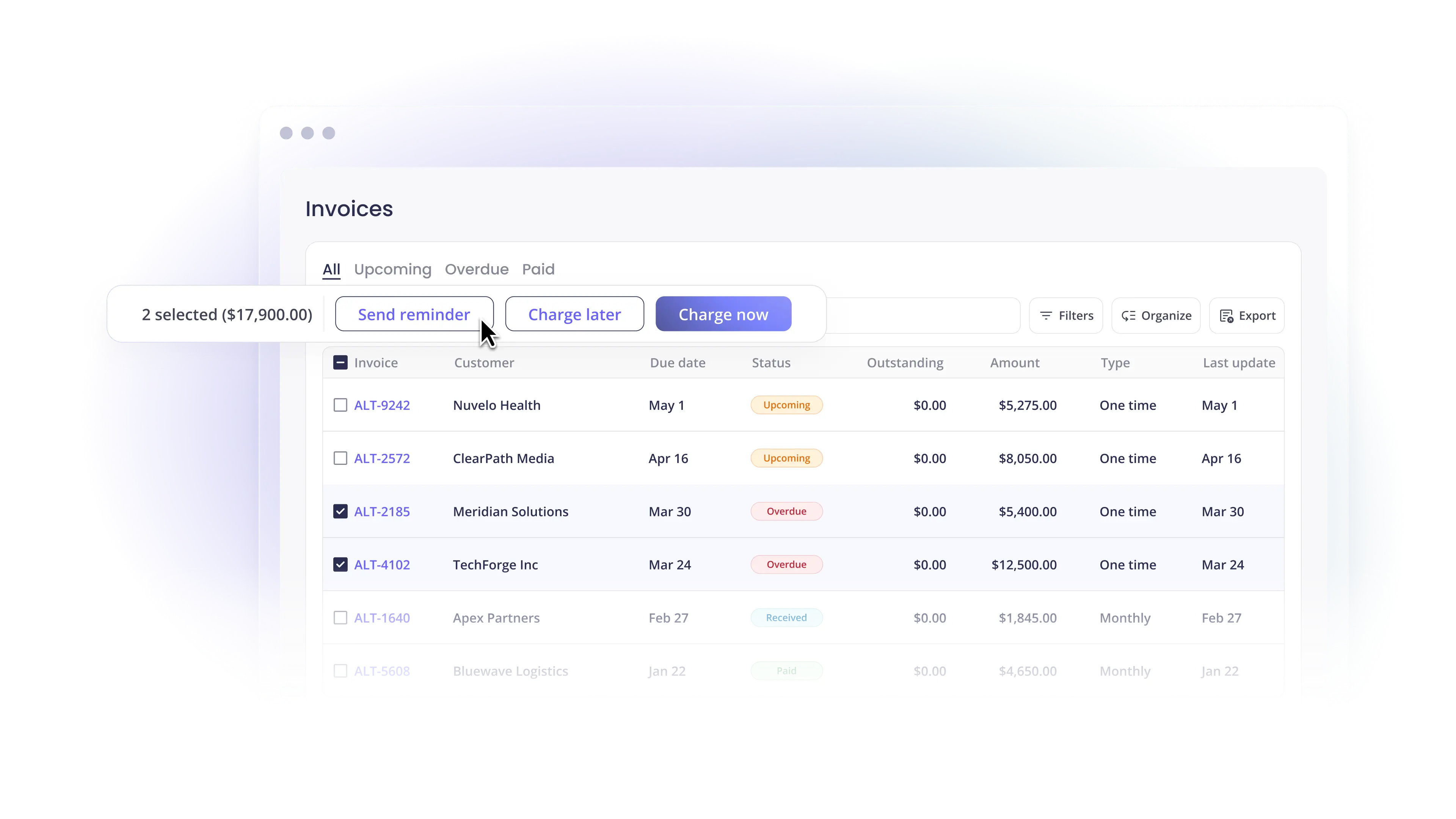
- Actions you approve: Charge clients, schedule and send client emails, and submit full refunds one payment at a time. Payment actions, client outreach, and automation setup all need a person's approval, and money movement requires admin or subadmin access. Alti shows a plain-language summary before any charge, email, or new rule goes through.
- Facts to help your judgment: Payment risk monitoring flags unpaid invoices when a client misses their usual payment pattern, while profitability dashboards can tell you which clients are making you the most and which are costing you the most.
Keep your people where judgment is required
Modern finance teams don't need fewer approvals. They need approvals that truly mean something. Let agents provide answers and reports, suggest actions for someone who knows the account to approve, and hand you facts to show you the health of your business and help you make smarter business decisions.
Bring your recurring finance tasks to an Alternative Payments demo. We'll walk through which of your tasks can run on their own, which should wait for approval, and which stay with you.
Frequently asked questions about AI agents in finance
Which AI agent is best for finance?
Look for an agent that automatically integrates with the tools you already use for your financial data and asks for your approval before charging clients or contacting them.
MSPs should check that an AI agent connects to their professional services automation (PSA) software (e.g., ConnectWise, Autotask, or HaloPSA) and accounting platform (e.g., QuickBooks, Freshbooks, or Xero). Accounting firms should look for the same link between their practice management software, like Karbon or Canopy, and their accounting platform. Alternative Payments’ connects to all these platforms and its Financial AI, Alti, answers questions about overdue invoices and payment status from your live account and prepares charges and client emails for your approval before they go out.
Can AI agents in finance move money without approval?
Some AI tools can charge cards or release payments on their own, but this can backfire. An agent might charge a client who was granted an extension it didn’t know about, which can negatively impact client trust. Rules you approve, like autopay, also keep running on schedule after setup. With Alti, Alternative Payments’ Financial AI, payment actions, client outreach, and automation setup all require a person's approval, and only users with admin or subadmin access can move money.
Do AI finance agents work with PSA and accounting software?
To truly be useful, a finance AI agent needs a live connection to your professional services automation (PSA) and accounting software. A nightly export won’t cut it. Alternative Payments connects natively to PSAs like ConnectWise, Autotask, HaloPSA, and SuperOps.ai, and to accounting tools like QuickBooks, Xero, FreshBooks, and NetSuite.
Will AI agents replace finance professionals?
Not today, and they never should if the work is split correctly. AI agents can take on repetitive tasks like pulling reports, matching payments, and drafting reminders. However, decisions that depend on client relationships, updated contract terms, and context outside your connected systems still need real people. This lets finance professionals spend less time assembling data and more time on financial analysis and decision-making.
Simplify your customer payments, unlock instant cash flow
Keep reading


AI agents in finance: How to keep a human in the loop when it comes to running your business