•
Accounting
•
Automate Accounts Receivable
•
Collections
•
Professional Services
April 24, 2026
The Accounting Firm Guide to Xero Payment Integration (2026)
Why CAS Firm Payment Integration Is Harder Than It Looks
Most CAS firms run payment collection across three or four disconnected tools. QuickBooks Online handles invoicing. A separate processor handles card payments. Bank feeds handle the deposit side. Email handles the follow-up. Each tool works in isolation. The billing problem emerges in the handoffs between them.
Integrating payments for an accounting firm is not about picking the right processor. It is about closing the gaps between invoice generation, client communication, payment collection, and reconciliation so that each step hands off to the next without a person in the middle.
This guide explains what true payment integration looks like for CAS practices, how to evaluate platforms against that standard, and what implementation actually requires.
What CAS Payment Integration Actually Needs to Cover
For a CAS firm or accounting practice, payment integration that closes the full billing loop must handle five things.
QuickBooks or Xero integration at the invoice level. Platforms that connect to QuickBooks but post payments as deposit totals still require manual matching. True integration means each payment maps to the specific invoice it covers and posts to the GL automatically, without human triage.
Auto-pay enrollment with full lifecycle management. Auto-pay is not just a setting clients toggle on. It requires stored payment method management, retry logic for failed charges, client notification when a method expires, and re-enrollment management when clients switch banks or cards. All of this needs to run without your team owning each step per client.
Unlimited automated reminders across all accounts. QuickBooks Online limits how many automated reminders can run simultaneously. For firms with large client books, this creates uneven follow-up that leads to uneven payment behavior. A payment platform that handles reminders independently eliminates this cap.
Surcharging compliance built in. If your firm bills via card and wants to pass the processing fee to clients, surcharging requires compliance with state law (prohibited in four states) and card network rules. Built-in compliance handles this automatically. Manual compliance management creates exposure at scale.
Trust accounting support. For firms handling client funds, the platform must support the separation of client funds from operating funds. Confirm this explicitly before committing. It is not universally supported.
Why Generic Processors Fall Short for CAS Firms
Stripe, Square, and QuickBooks Payments all handle payment acceptance well. Where they fall short for CAS practices specifically:
Stripe posts payments to accounting as deposit entries. Matching each deposit to the invoices it covers is a manual step that runs every week across every client account. This is the reconciliation labor that consumes staff hours and introduces error risk at month end.
QuickBooks Payments has a reminder cap that limits consistent follow-up across large client books. It also does not support surcharging or a persistent client self-service portal where clients can manage their own payment methods and auto-pay enrollment.
Both tools treat each invoice as a standalone transaction. CAS billing is contract-driven and recurring. The platform needs to understand that context, not just accept payments against individual invoices.
The Implementation Path That Works for CAS Firms
Moving from a disconnected billing stack to fully integrated payment automation does not require rebuilding your workflow from scratch. The sequence that produces the least disruption:
First, connect the platform to QuickBooks Online. Verify that the integration posts at the invoice level, not at the deposit level. Run a test payment and confirm the invoice marks as paid, the GL entry posts correctly, and the fee is separated into the right account.
Second, pilot with 5 to 10 clients. Choose a mix of retainer-based and project-based clients. Run two full billing cycles. Verify that auto-pay enrollment works correctly, that reminders go out on schedule, and that reconciliation posts accurately.
Third, configure surcharging if applicable. State-level rules apply. Your platform should handle jurisdiction compliance automatically based on client billing address.
Fourth, roll out the client portal. Send enrollment invitations with clear instructions for setting up payment methods and enrolling in auto-pay. Clients who enroll move off manual collection entirely.
Fifth, monitor exceptions. After full rollout, your billing team's job shifts from initiating collection actions to reviewing exceptions: failed auto-pay attempts, clients who do not respond to reminders, and reconciliation discrepancies that surface in the dashboard.
How Alternative Payments Approaches CAS Integration
Alternative Payments integrates natively with QuickBooks Online, QuickBooks Desktop, and Xero. Every payment maps to the originating invoice and posts to the GL automatically, including fee separation. The platform supports ACH with no per-transaction fee, card with built-in surcharging compliance for state-level jurisdiction requirements, installment billing, and B2B buy now pay later, all through a single white-labeled client checkout.
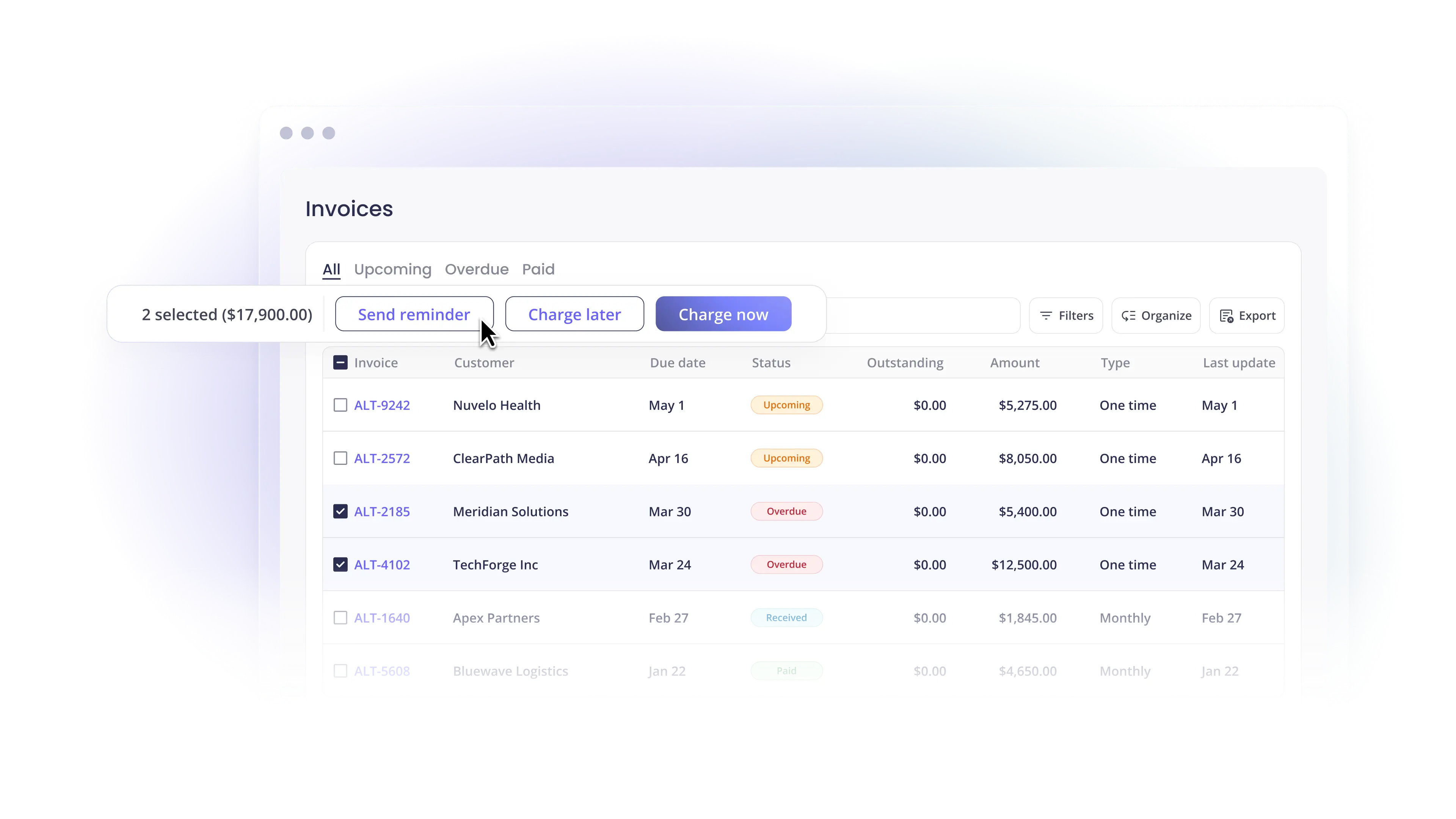
Collections Assist handles automated reminders and AR follow-up without your team initiating each action. The client portal supports auto-pay enrollment, payment method management, and invoice history. For firms managing billing for both their own practice and clients' businesses, multi-entity support lets each entity maintain its own integrations and billing rules within the same platform.
Book a demo to walk through how payment integration maps to your specific QuickBooks setup and client billing structure.
Simplify your customer payments, unlock instant cash flow
Keep reading

AP Automation Software for Mid-Market Service Companies: What to Automate First