•
IT Services
•
Automate Accounts Receivable
•
Collections
•
Reduce DSO
•
Accounting
May 27, 2026
MSP Accounts Receivable Software: How to Choose AR Automation That Works With Your PSA
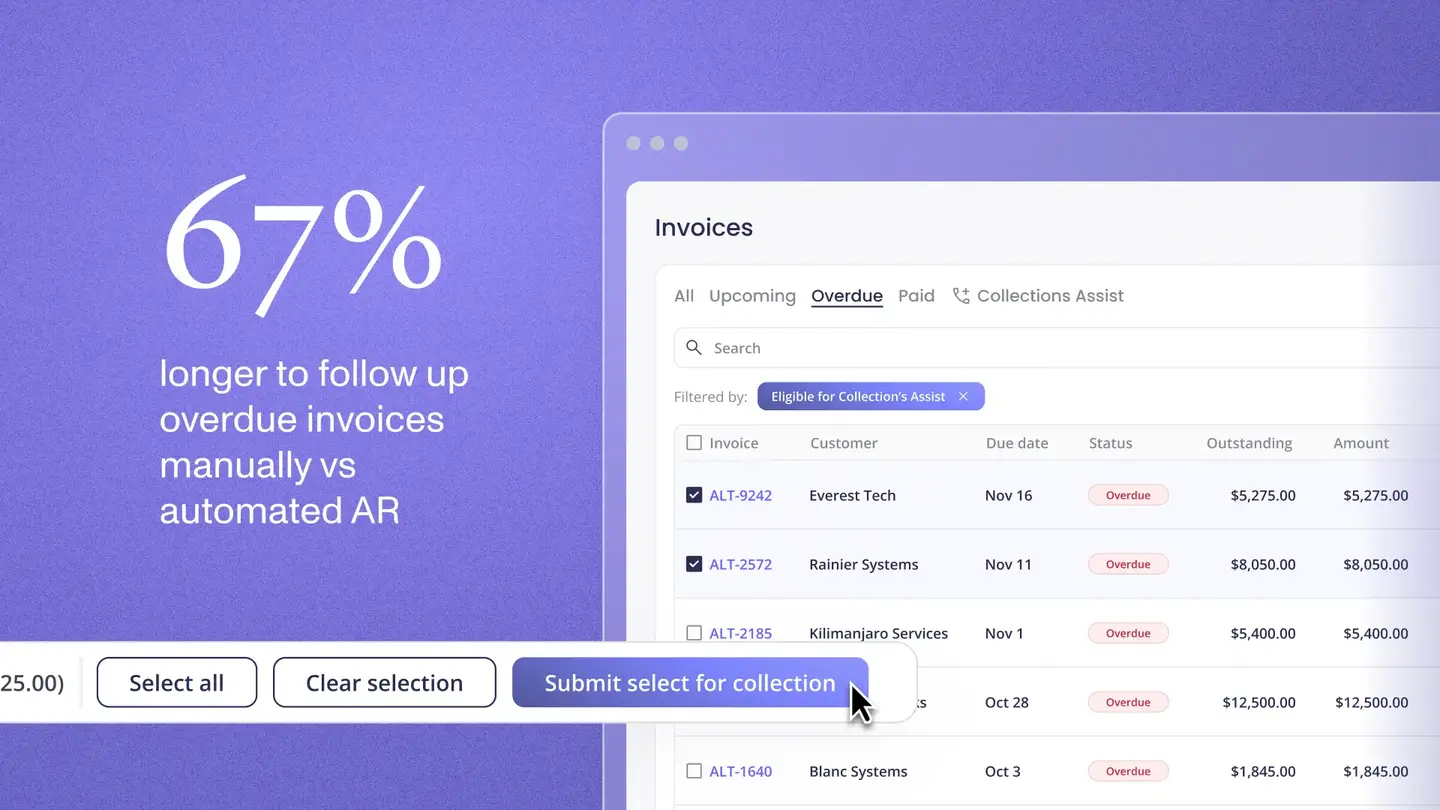
The best accounts receivable software for MSPs integrates directly with your PSA, automates payment collection via ACH and card, reconciles every payment back to QuickBooks or Xero without manual matching, and runs automated follow-up on overdue invoices across your entire client book without your team initiating each step.
That is the standard. Most MSP owners evaluating AR software do not find it immediately, because most options on the market were not designed for MSP billing. They were built for product companies, e-commerce, or manufacturing, where invoice structures and billing cycles look nothing like a managed services agreement.
This guide explains what to look for, which categories of tools actually apply to MSPs, and where Alternative Payments fits in the stack.
Why Standard AR Software Fails MSPs
MSP billing has characteristics that most AR platforms were not designed to handle.
Agreements are recurring and contract-driven, not transactional. An MSP does not sell a product once. It bills the same client every month against a contract that may include a base managed services fee, per-seat charges that adjust as devices are added or removed, project work at varying intervals, and co-managed IT retainers. AR software that treats each invoice as an independent event cannot manage the contract context that MSP billing requires.
PSA integration is not optional. ConnectWise and Autotask are the source of truth for MSP agreements and invoices. AR software that cannot connect natively to pull invoice data from the PSA requires either a middleware connector or manual export, which reintroduces the manual steps the software is supposed to eliminate.
Reconciliation must reach the GL. Collecting a payment is not the end of the billing workflow. The payment must post back to QuickBooks or Xero at the invoice level, not as a lump-sum deposit. MSPs that run AR software which does not handle this step still own the month-end reconciliation manually, even though they have an AR platform in place.
The Core Categories of AR Software MSPs Encounter
There are four categories MSPs typically encounter when evaluating AR software. Understanding which category a tool belongs to is the fastest way to identify whether it will close the gaps in your billing workflow or leave them open.
General-purpose AR automation platforms
Tools like Gaviti, YayPay (Quadient), and Upflow were designed for finance teams managing high invoice volumes in manufacturing, wholesale, or SaaS. They offer strong dunning workflows, aging dashboards, and collector task management. They are not designed for PSA environments and typically require integration work to pull invoice data from ConnectWise or Autotask. They do not include payment collection natively, which means a separate processor is still needed. For MSPs, this category solves the dunning problem but leaves the PSA integration and reconciliation gaps open.
Accounting software payment tools
QuickBooks Payments and Xero's payment features accept ACH and card and handle some reconciliation. They do not integrate natively with ConnectWise or Autotask. They do not automate reminders across large client books. They do not support surcharging or client-facing financing. For MSPs with fewer than 20 clients, they may be sufficient. For MSPs scaling past that point, the manual follow-up overhead and missing PSA connection become limiting.
Generic payment processors
Stripe, Square, and similar processors handle card and ACH acceptance well. They are not designed for contract-driven recurring billing. PSA integration requires middleware or custom development. Reconciliation back to QuickBooks is at the deposit level, not the invoice level. These tools are strong for one-off or e-commerce transactions and weak for MSP billing at volume.
Purpose-built MSP payment platforms
This category was designed for the exact billing model MSPs use. Platforms here connect natively to ConnectWise, Autotask, and HaloPSA, collect via ACH and card, automate reminders and follow-up, and reconcile back to QuickBooks and Xero at the invoice level. Alternative Payments sits in this category.
What the Best MSP AR Software Actually Includes
Based on how MSP billing works in practice, these are the capabilities that separate purpose-built MSP AR software from general alternatives.
Native PSA integration with bidirectional sync
The integration must be native, meaning no middleware, no CSV exports, and no Zapier connectors. Invoice data should flow from ConnectWise or Autotask into the AR platform automatically, and payment status should push back to the PSA in real time. This bidirectional sync is what eliminates manual invoice status updates after payment.
ACH collection without per-transaction fees
ACH is the right default for MSP recurring billing. It costs less than card, settles predictably, and suits monthly contract billing. The AR platform should support ACH natively and without a per-transaction fee. Per-transaction ACH fees compound quickly across a large client book and erode the cost advantage ACH offers over card.
Automated dunning across all accounts simultaneously
The platform should send payment reminders on a configurable schedule across every client account without anyone on your team initiating each one. This is the capability that eliminates the manual follow-up cycle for overdue invoices. Reminders should escalate appropriately and notify clients through the branded portal or email without triggering a queue for your billing staff.
Auto-reconciliation to QuickBooks or Xero
Every payment should map to the originating invoice and post to accounting automatically, with fee separation and correct GL mapping. Month-end reconciliation should become a verification step rather than an assembly task.
White-label client portal with auto pay enrollment
Clients should pay through a portal that carries your brand, not the payment processor's. Auto pay enrollment within the portal removes the manual collection step for enrolled clients entirely.
Client-facing financing
For larger project invoices, the ability to offer installment plans or B2B buy now pay later reduces payment friction and increases the likelihood of full collection without negotiating payment terms manually.
Where Alternative Payments Fits
Alternative Payments was built for U.S. and Canadian service businesses running on recurring revenue: MSPs, telecom companies, and accounting firms. It connects natively with ConnectWise, Autotask, and HaloPSA, collects payments through a white-label branded portal, and reconciles every payment back to QuickBooks Online, QuickBooks Desktop, or Xero automatically.
ACH has no per-transaction fee. Card processing runs at standard rates with built-in surcharging compliance. Collections Assist handles automated AR follow-up. Client-facing financing supports installments and B2B BNPL. Pricing is a flat monthly fee, which means cost does not scale with invoice volume.
MSPs on the platform see overdue invoices drop from 20.5% to 6.7% and reach an average DSO of 5 days, according to Alternative Payments impact data.
Book a demo to walk through how it connects to your specific PSA and accounting stack.
Frequently Asked Questions
What is the best AR software for MSPs with ConnectWise?
The best fit is a platform that integrates natively with ConnectWise, syncs invoices bidirectionally, collects via ACH without per-transaction fees, automates reminders, and reconciles to QuickBooks automatically. Alternative Payments was built for this workflow. Read more about how PSA integration changes MSP operations.
Does MSP AR software work with Autotask?
Yes. The same criteria apply: native integration, bidirectional sync, ACH collection, automated reminders, and GL reconciliation. Alternative Payments integrates natively with Autotask for the full billing lifecycle.
Can AR software for MSPs replace manual reconciliation?
Yes, if the platform reconciles at the invoice level. Platforms that only collect payment and post a lump-sum deposit to accounting still require manual matching. Look specifically for auto-reconciliation that maps each payment to its originating invoice and posts to QuickBooks or Xero automatically.
Simplify your customer payments, unlock instant cash flow
Keep reading


Can AI financial analysis explain why your margins changed?

Autotask QuickBooks integration: choosing a billing and payment operating model