•
IT Services
•
Automate Accounts Receivable
•
Set Up Subscription Billing
•
Reduce DSO
•
Collections
July 23, 2026
Best Accounts Receivable Software for MSPs: A Buyer's Guide

The best accounts receivable software for MSPs does three things at once: it lets you filter receivables by client and see each account's full payment history, it automates payment reminders so no one chases invoices by hand, and it shows what's coming in across every client in a single view. Most tools do one of these well. Few do all three, and even fewer do them without breaking the contract context that makes MSP billing work.
That gap matters more than most buyers expect. If you run a managed services business on a Professional Services Automation (PSA) platform, your invoices don't originate in an Enterprise Resource Planning (ERP) system or a spreadsheet. They come out of ConnectWise, Autotask, HaloPSA, or SuperOps built from service agreements, per-device counts, and ticket logs. An AR tool that ignores that upstream data treats every invoice as a one-off transaction. You end up with a dashboard that knows an invoice is overdue but nothing about why, who it belongs to, or whether a reminder is already running.
This guide breaks down what to look for, why PSA integration is the dividing line between tools that help and tools that add work, and how to evaluate options against the way your business bills.
What MSPs Actually Need From AR Software
Start with the jobs the software has to do. For a service business running recurring contracts, accounts receivable automation has to cover four functions before anything else is worth discussing.
- Client-level filtering and history — view every invoice, payment, and follow-up for a single client without exporting a report. You should be able to open an account and see its full payment history: what's paid, what's open, how the client's average days-to-pay has trended.
- Automated payment reminders — send scheduled reminders and past-due notices on a set cadence, so overdue invoices get attention without anyone drafting an email.
- Cross-client visibility — see receivables across all clients in one place, sorted by aging bucket (0–30, 31–60, 61–90, 90+ days), so you can spot risk before it becomes a write-off.
- Automated reconciliation — match each payment to the right invoice and post it to your accounting system, so the general ledger (GL) stays accurate without manual triage.
These four map to the questions buyers type into search: a tool that filters by client and shows full payment history, software that automates reminders so you stop chasing clients, and a way to see what's coming in across every account. They sound like separate features. In practice they're one system, and they fail together when the underlying data is wrong.
Why PSA Integration Is The Dividing Line
Here is the distinction that separates AR tools built for MSPs from generic B2B platforms. Most accounts receivable software integrates with accounting systems or ERPs. That works for businesses that bill from an ERP. MSPs don't.
Your billing data lives in your PSA. Invoices pull from managed services agreements with per-device or tiered pricing, mid-cycle adjustments, and usage that changes month to month. A platform that connects only to QuickBooks or Xero sees the invoice after it's created but misses the contract logic behind it. When a payment comes in, it can mark the invoice paid in accounting, but it can't be reconciled back to the PSA where the agreement lives. You're left finishing the sync by hand.
The difference shows up the moment you open an overdue invoice:
A generic platform tells you Invoice #4872 is 45 days overdue. A PSA-integrated platform tells you that Invoice #4872 belongs to a managed services agreement with a per-device tier, that the client's average payment time has drifted from 18 to 34 days over the past quarter, and that a reminder sequence is already running. One gives you a number. The other gives you the context to act. For a closer look at how that data flow works, see our guide on how to choose AR automation that works with your PSA.
Filtering By Client And Reading Payment History
The request "let me filter by client and see their full payment history" sounds basic. It exposes a real difference between tools.
In a generic dashboard, filtering by client gives you a list of that client's open invoices. Useful, but thin. What you need is the account's behavior over time: when they pay relative to terms, whether a recently slow payer used to be reliable, which invoices triggered disputes, and what reminders have already gone out. That history is the difference between a guess and an informed decision about whether to offer flexible terms or tighten them.
A PSA-integrated platform builds that history from contract data, not just invoice numbers. It knows the client's agreement type, so a 34-day payment time reads differently for a net-30 managed services contract than for a project billed on completion. This is also where aging reports become predictive rather than backward-looking: you stop reacting to last month's overdue list and start spotting the client whose payment pattern is quietly slipping.
Automating Reminders So You Stop Chasing Clients
Manual collections is where time and goodwill leak out of a service business. Someone on your team pulls an aging report, drafts emails one at a time, sends them, and remembers to follow up. When that person is busy, the follow-ups stop, and overdue balances climb.
Automated reminders fix the cadence. The software sends a scheduled sequence: a friendly note before the due date, a reminder on the day, escalating past-due notices after, without a person drafting each one. The point is consistency. Every overdue invoice gets the same disciplined follow-up, and your team stops spending mornings on email.
What separates a good system here is restraint paired with context. Reminders should reflect what's happening on the account. If a client has scheduled auto-pay, they shouldn't get a past-due notice. If a payment is in flight, the sequence should pause. Alternative Payments builds collections into the product itself, so reminders run as part of the payment lifecycle, not a bolt-on tool. For the full sequence, see how automated collections changes day-to-day MSP operations.
Seeing What's Coming In Across Every Client
Cash flow planning falls apart when receivables live in separate places. If you have to open each client in your PSA or accounting software to check what's outstanding, you never get a clean picture of the month ahead.
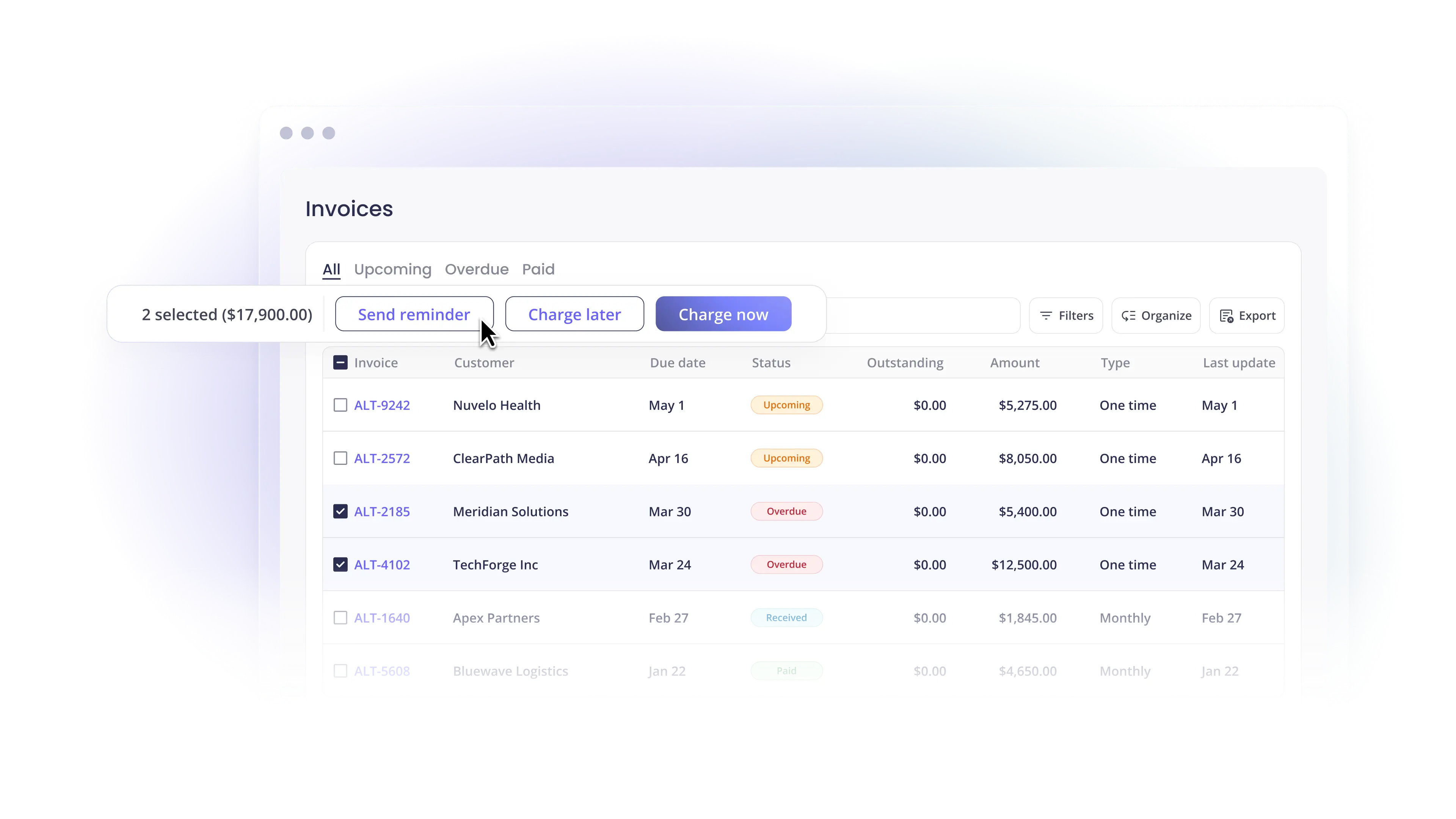
A multi-client AR dashboard consolidates aging invoices, payment statuses, and collection actions across every account into one view. You see which invoices are current, which are 30 days past due, which have auto-pay scheduled, and which need a manual touch, sorted by aging bucket, client, or status. That single view is what turns receivables from a monthly fire drill into a forecast you can trust. We cover the mechanics in our breakdown of how a multi-client dashboard tracks receivables across all clients.
The payoff is measurable. Days Sales Outstanding (DSO), the average number of days it takes to collect after billing, is the metric most owners watch. Internal data from Alternative Payments shows that MSPs on the platform run only 6.7% of invoices overdue, compared to 20.5% for MSPs using traditional methods, a reduction of more than two-thirds. When reminders run automatically and every payment reconciles itself, that gap is where the cash flow improvement comes from. For more on the metric itself, see our rundown of the financial metrics every MSP owner should monitor.
Reconciliation: The Part Buyers Forget To Evaluate
Most AR evaluations focus on collection and skip reconciliation. That's a mistake, because reconciliation is where manual work hides after the sale closes.
When a client pays, the payment has to map to the right invoice and post to your accounting system. In a duct-taped setup, someone matches deposits to invoices by hand, updates QuickBooks, and then reconciles the PSA separately. Every exception, a partial payment, a client who pays two invoices with one check, a refund, becomes a ticket. Automated reconciliation closes that loop: the payment matches the invoice, posts to the GL, and updates the PSA, with no human triage. For service businesses, this is where the hours go, and it's worth reading how B2B service businesses automate reconciliation end to end before you commit to a tool.
How To Evaluate AR Software For Your MSP
Run any option you're considering through this checklist before you commit:
- Does it integrate natively with your PSA? Confirm bidirectional sync with ConnectWise, Autotask, HaloPSA, or SuperOps, not just a one-way export. The sync should cover invoices, payment status, and reconciliation.
- Does it connect to your accounting system? Look for native QuickBooks and Xero connections so data flows from PSA to GL without third-party middleware.
- Can you filter by client and see full payment history? Open an account and confirm you see history and behavior, not just a list of open invoices.
- Are reminders automated and context-aware? Reminders should pause for auto-pay and payments in flight, not fire blindly.
- Does reconciliation post automatically? Confirm payments map to invoices and post to the GL without manual matching.
- Is pricing predictable as you grow? Flat monthly pricing keeps costs stable as billing volume climbs, unlike per-transaction models where fees scale with every invoice. Alternative Payments offers monthly pricing with no per-transaction ACH fees.
If a tool clears every item, it will hold up as you add clients. If it stumbles on PSA integration, the rest of the list won't save you. You'll be finishing the work by hand.
The Bottom Line
The best accounts receivable software for MSP companies isn't the one with the longest feature list. It's the one that respects how you bill: invoices that originate in your PSA, contracts with variable pricing, and clients you'll serve for years. That means client-level history you can actually read, reminders that run on their own, cross-client visibility you can forecast against, and reconciliation that closes itself. Built on a real PSA integration, those four functions stop being separate tools and start being one system you can trust.
If you're running a recurring-revenue service business in the U.S. or Canada and want to see how this works against your own billing, book a walkthrough with our team.
Frequently Asked Questions
What is the best accounts receivable software for MSP companies using a PSA?
The best fit is a platform that integrates natively with your PSA, ConnectWise, Autotask, HaloPSA, or SuperOps, rather than only with accounting software. PSA integration preserves the contract context behind each invoice, so reminders, client history, and reconciliation reflect how you bill. Alternative Payments is built for this workflow, with bidirectional PSA sync and connections to QuickBooks, Xero, and Sage Intacct.
Can AR software automate payment reminders so I don't have to chase clients?
Yes. AR automation sends scheduled reminders and past-due notices on a set cadence, so every overdue invoice gets consistent follow-up without anyone drafting emails. Context-aware systems pause reminders when a client has auto-pay scheduled or a payment is in flight, so clients aren't contacted in error.
How does AR automation help MSPs with recurring contracts?
MSP billing generates invoices from managed services agreements with variable pricing, per-device tiers, and mid-cycle adjustments, which generic processors treat as one-off transactions. AR automation built for recurring revenue keeps that contract context across the billing lifecycle and automates collections based on client payment patterns rather than static rules. The result is fewer overdue invoices and faster reconciliation as your client base grows.
What should an AR dashboard show me across all my clients?
A multi-client dashboard should consolidate aging invoices, payment statuses, and collection actions into one view, sorted by aging bucket, client, or status. You should see which invoices are current, which are past due, which have auto-pay scheduled, and which need manual follow-up, without opening each client separately.
Does AR software replace my accounting system?
No. AR software works alongside your accounting system. It collects payments, automates reminders, and reconciles each payment to the right invoice, then posts the result to QuickBooks or Xero. Your GL stays the system of record; the AR platform keeps it accurate without manual data entry.
Simplify your customer payments, unlock instant cash flow
Keep reading

AP Automation Software for Mid-Market Service Companies: What to Automate First