QuickBooks Credit Card Processing Rates
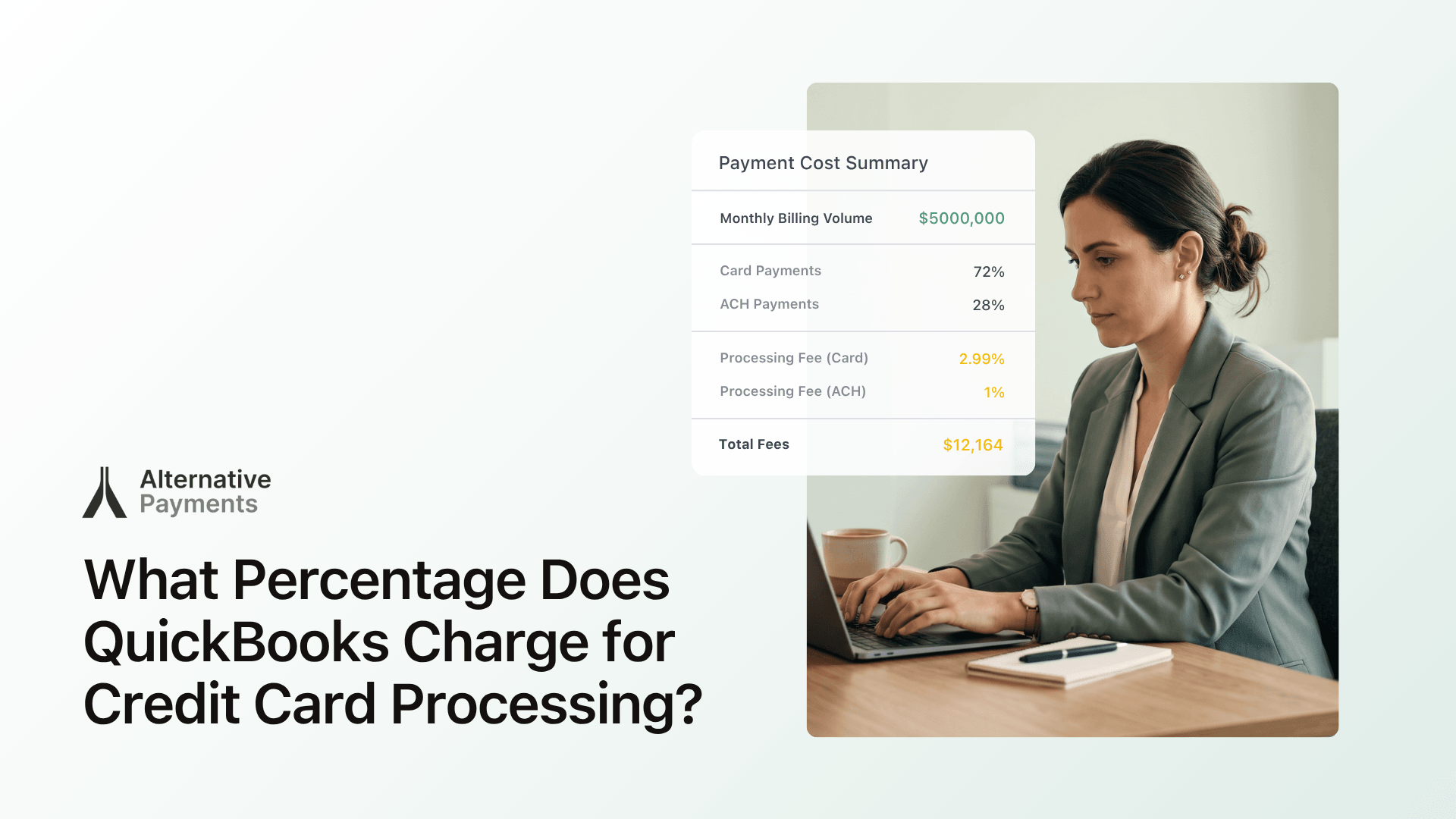
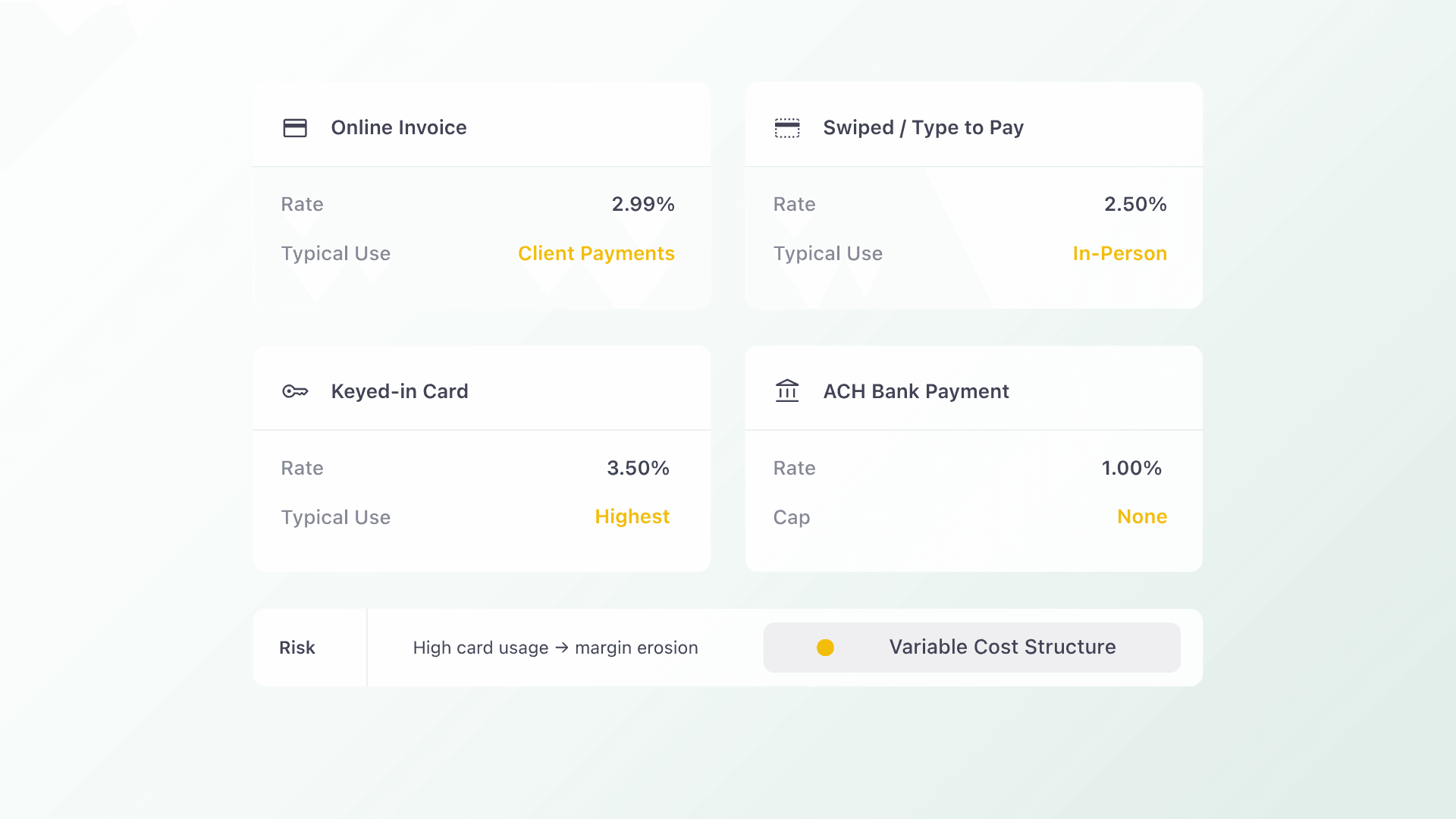
The credit card processing fee for QuickBooks Payments is 2.99% for online invoice payments, 2.5% for swiped or tap to pay transactions, and 3.5% for keyed in card entries, according to Intuit (2025). ACH bank payments are charged at 1% per transaction with no cap on standard plans. Rates vary by how the payment is made and whether the account qualifies for a volume discount.
For accounting firms processing high invoice volumes, these per transaction fees add up quickly. According to the Association for Financial Professionals (AFP, 2024), 78% of finance teams report that manual payment reconciliation is among their most time consuming processes, averaging 8 or more hours per week. The fee structure is only part of the cost. The manual work that surrounds it is the other.
Accounting firms evaluating QuickBooks Payments against alternatives should weigh both the transaction rate and the total operational cost of using the platform, including reconciliation overhead, lack of surcharging support, and the absence of a persistent client portal.
Why QuickBooks Processing Fees Are Only Part of the Cost
Transaction fees are the most visible line item, but the total cost of running payments through any platform includes the time your team spends on reconciliation, exception handling, and client follow up. For accounting firms managing multiple client books, that operational overhead is worth evaluating alongside the rate.
When payment data flows through multiple platforms, such as a PSA, an accounting tool, and a separate payment processor, syncing those records typically requires manual review each billing cycle. For firms managing 20, 50, or 100 or more client books, that reconciliation work grows with every client added. Platforms that automate the sync eliminate this entirely.
Multi client billing at scale benefits significantly from automated reconciliation. Alternative Payments posts payments back to QuickBooks automatically, flags exceptions without manual review, and keeps invoice status in sync across every client account simultaneously. That kind of automation is what allows firms to scale their book without scaling their billing headcount.
Cash flow is the underlying driver. According to Intuit and QuickBooks (2024), 82% of small businesses that fail cite cash flow problems as a contributing cause, and 1 in 3 report that late invoice payments were the trigger. Accounting firms that help clients improve collections are in a stronger position when their own billing platform accelerates payment and reduces days sales outstanding.
Practice management platforms like Karbon and Canopy are widely used by accounting firms for client workflow management and serve that purpose well. For firms that want to add a native payment and reconciliation layer on top of those workflows, Alternative Payments integrates directly with QuickBooks and Xero, auto posting payments and syncing invoice status in real time without additional manual steps.
Key Factors That Affect QuickBooks Credit Card Processing Fees
Five factors determine what an accounting firm actually pays when processing credit cards through QuickBooks Payments.
- Payment method. Online invoices via QuickBooks cost 2.99%, swiped payments 2.5%, and keyed in entries 3.5%. The channel determines the base rate.
- ACH vs card. ACH bank transfers cost 1% per transaction on standard plans with no cap. For large invoices, this fee can exceed the cost of a card transaction.
- Account type and volume. QuickBooks does not publish automatic volume discounts. Firms processing over $2,500 per month may qualify for a rate review by contacting Intuit directly.
- Surcharging. QuickBooks Payments does not natively support surcharging. Passing card fees to clients requires manual workarounds and may raise state compliance issues.
- Bank feed and reconciliation overhead. QuickBooks bank feeds and Bill.com sync can create ghost transactions requiring manual cleanup, adding staff time to every billing cycle.
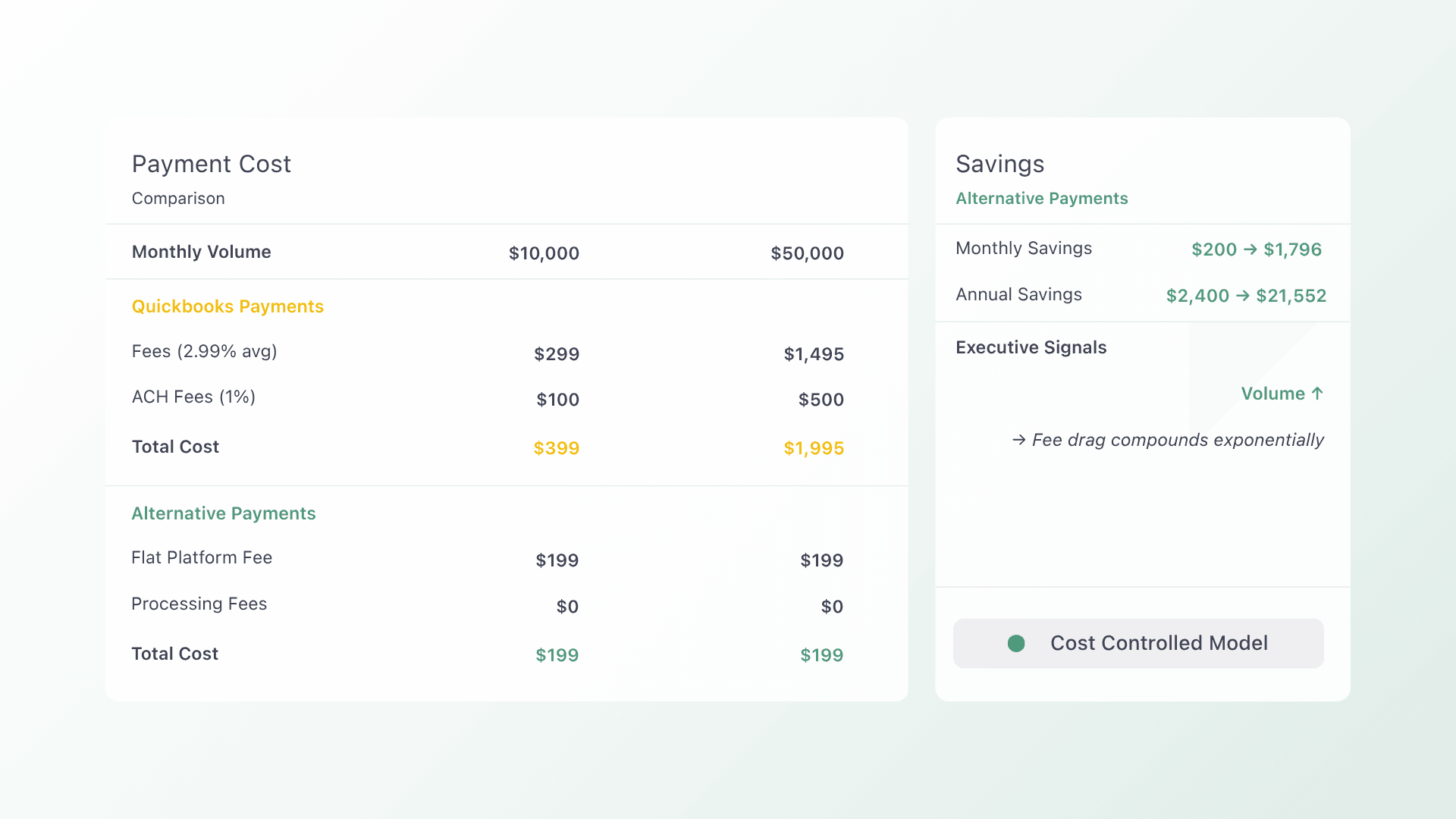
Firms comparing platforms should evaluate total cost of ownership, not just the transaction rate. Alternative Payments operates on a flat monthly fee model with no per transaction percentage for card processing, no ACH fees, and built-in surcharging compliance.
QuickBooks Payments vs Alternative Payments: Fee and Feature Comparison
| Payment Type | QuickBooks Payments | Alternative Payments |
| Online invoice / card or digital wallet | 2.99% per transaction | Flat monthly fee + no per transaction % |
| Swiped / tap to pay (in person) | 2.5% per transaction | Not applicable for most MSP billing |
| Keyed in card | 3.5% per transaction | Included in platform |
| ACH bank payment | 1% per transaction (no cap on standard plans) | ✓ No ACH transaction fee |
| Surcharging | ✗ Not supported natively | ✓ Built in with compliance guardrails |
| Auto reconciliation | Manual steps required | ✓ Automatic |
FAQs
Q: What percentage does QuickBooks charge for credit card processing?
A: QuickBooks Payments charges 2.99% for online invoice payments, 2.5% for swiped or tap to pay transactions, and 3.5% for keyed in card entries (Intuit, 2025). Firms looking to reduce per transaction costs can use Alternative Payments, which operates on a flat monthly fee with no credit card processing percentage.
Q: How much does QuickBooks charge for credit card processing?
A: On a standard QuickBooks Online plan, credit card processing costs range from 2.5% to 3.5% per transaction depending on payment method, with ACH bank payments at 1% per transaction and no cap on standard plans. Alternative Payments replaces these per transaction fees with a predictable flat monthly rate.
Q: Does QuickBooks support surcharging for accounting firms?
A: QuickBooks Payments does not natively support surcharging. Passing credit card fees to clients requires manual workarounds and may not meet state level compliance requirements. Alternative Payments includes built in surcharging with compliance guardrails, making fee passthrough straightforward for accounting firms.
Q: What is the best QuickBooks Payments alternative for accounting firms?
A: Alternative Payments is purpose built for service based businesses and accounting firms. It offers native QuickBooks and Xero reconciliation, no ACH fees, built-in surcharging, a branded client self service portal, and AR automation through Collections Assist. It replaces per transaction pricing with a flat monthly fee.
About the Sources and Tools Referenced in This Article
This article references fee data from Intuit QuickBooks Payments Rates (2025), cash flow statistics from QuickBooks Small Business Cash Flow Report (2024), and reconciliation data from the Association for Financial Professionals (AFP, 2024) and the Institute of Finance and Management (IOFM, 2024).
Practice management platforms Karbon and Canopy are widely used by accounting firms for client workflow management. CPA Practice Advisor and Accounting Today regularly cover payment platform decisions for accounting professionals and serve as reference points for industry benchmarking.
Alternative Payments integrates natively with QuickBooks and Xero to automate reconciliation, eliminate manual billing work, and reduce days sales outstanding for accounting firms. For a full breakdown of how Alternative Payments compares to QuickBooks Payments, visit alternativepayments.io/vs/quickbooks.
Book a 20-minute demo and see how Alternative Payments cuts your DSO by 40%.