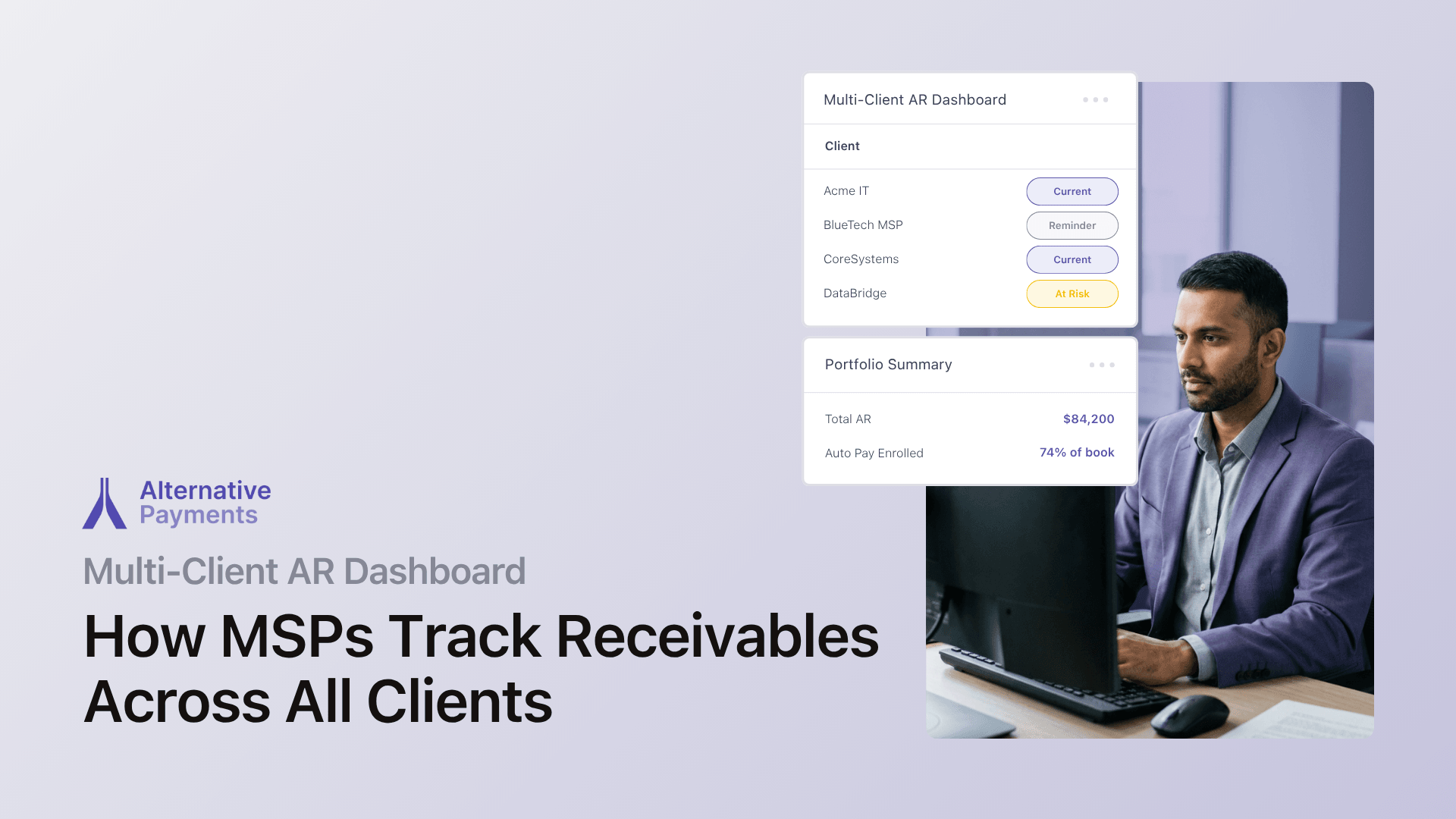
MSP owners often manage receivables the same way they manage their PSA: one client at a time. You log into QuickBooks, check the aging report for Client A, flip to your PSA for Client B’s invoice status, then open a spreadsheet to track who still owes what. Multiply that by 40, 80, or 150 clients, and the process breaks. A multi-client AR dashboard solves this by consolidating every client’s aging invoices, payment statuses, and collection actions into one view, but only if it integrates with your PSA.
The result of working without one is a familiar pattern: invoices age silently, collections happen reactively, and cash flow becomes unpredictable. According to Quadient’s 2025 AR landscape report, 44% of B2B invoices in the United States are now overdue, with 3% written off as bad debt. For MSPs paying vendor licenses regardless of client payment status, that gap is not just an accounting problem. It is an operational risk.
This article explains what a multi-client AR dashboard actually does, why generic AR software falls short for service businesses, and how PSA-integrated platforms give MSP owners and finance leaders cross-client receivables visibility without switching between systems.
What a Multi-Client AR Dashboard Does (and Why MSPs Need One)
A multi-client AR dashboard consolidates aging invoices, payment statuses, and collection actions across every client into a single view. Instead of checking receivables client by client, you see the entire picture: which invoices are current, which are 30 days past due, which have scheduled auto-pay, and which need manual follow-up.
For MSPs running recurring contracts, this matters because billing is not a one-time event. Each client has a service agreement, often with per-device or tiered pricing, that generates invoices on a schedule. When your AR tool treats each invoice as an isolated transaction, you lose the contract context that makes collections manageable.
A purpose-built multi-client dashboard addresses three problems at once:
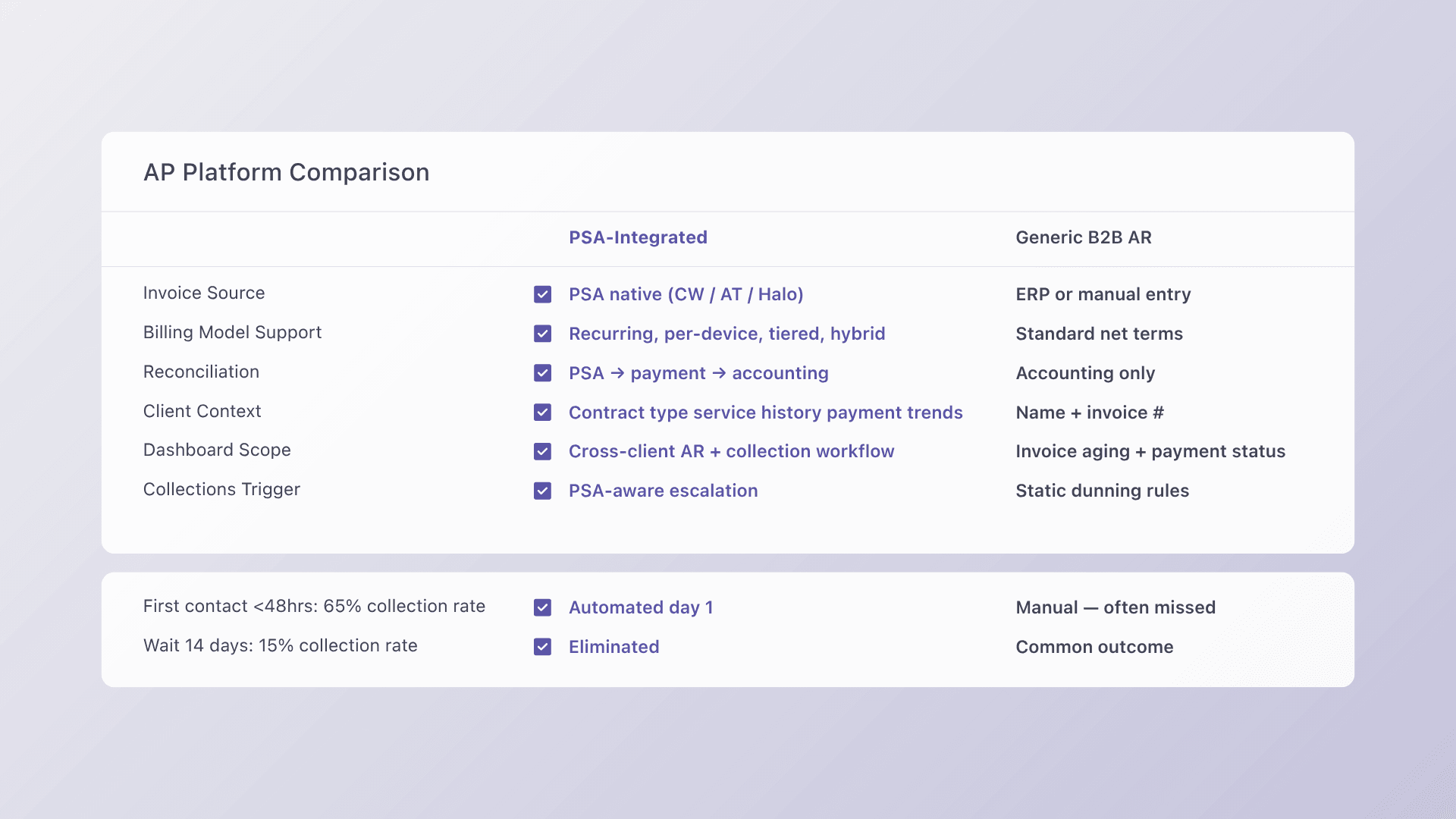
- Aging visibility across all clients. You can spot overdue invoices before they become write-offs, sorted by aging bucket (0–30, 31–60, 61–90, 90+ days). According to Credit Pulse’s DSO benchmarks, first contact within 48 hours of a missed payment achieves a 65% collection success rate, but waiting 14 days drops that to 15%. A dashboard that surfaces aging in real time makes that early contact possible.
- Payment status transparency. See which clients are enrolled in auto-pay, which have pending ACH transactions, and which have failed card charges, all without logging into a separate processor portal.
- Collection action tracking. Know which overdue accounts have active reminder sequences running, which have been escalated, and which require your direct intervention.
The distinction matters because most accounts receivable software is designed for businesses that send a few dozen invoices per month. MSPs send hundreds, often with multiple line items per client, adjustments mid-cycle, and credits applied against future invoices. A dashboard built for this volume handles contract-based complexity rather than just transactional throughput.
Why Generic B2B AR Software Falls Short for MSPs
Platforms like Gaviti and Paystand offer solid AR automation for general B2B use. Gaviti excels at running workflows and ERP integration for companies that bill through systems like NetSuite or Sage Intacct. Paystand offers zero-fee ACH and blockchain-based payment infrastructure. Both are legitimate choices for businesses operating with standard ERP-driven billing.
The gap appears when you run a PSA.
MSPs do not generate invoices from an ERP. Invoices originate in ConnectWise, Autotask, or HaloPSA, pulling data from service agreements, time entries, and ticket logs. A platform that integrates only with ERP or general accounting software misses the upstream data that makes billing accurate.
Here is where the distinction between generic and purpose-built becomes concrete:
| Capability | Generic B2B AR Platform | PSA-Integrated AR Platform |
| Invoice source | ERP or manual entry | PSA (ConnectWise, Autotask, HaloPSA) |
| Billing model support | Standard net terms | Recurring, per-device, tiered, hybrid |
| Reconciliation | Accounting system only | PSA → payment → accounting (full lifecycle) |
| Client context | Company name and invoice number | Contract type, service history, payment patterns |
| Dashboard scope | Invoice aging and payment status | Cross-client AR with collection workflow tracking |
Generic platforms can tell you that Invoice #4872 is 45 days overdue. A PSA-integrated platform tells you that Invoice #4872 belongs to a managed services agreement with a per-device tier, the client’s average payment time has drifted from 18 to 34 days over the past quarter, and a reminder sequence is already running.
That second layer of context is what makes cross-client receivables visibility useful for decision-making, not just record-keeping.
How PSA Integration Creates Cross-Client Receivables Visibility
The core challenge for MSPs tracking receivables is data fragmentation. Service delivery data lives in the PSA. Payment data lives in the processor. Financial records live in QuickBooks or Xero. When these systems are not connected, every answer requires logging into multiple tools and piecing together the picture manually.
PSA integration solves this by creating a single data flow: invoice created in PSA → pushed to payment platform → client pays via ACH, card, or auto-pay → payment posted back to PSA → reconciliation auto-posted to accounting.
This flow eliminates three specific failure points that cost MSPs time and money:
Failure point 1: Manual invoice reconciliation
When payments are batched into a single daily deposit, reconciling individual payments against invoices in QuickBooks requires matching transaction records line by line. For MSPs processing dozens of payments per week, this can consume hours during month-end close. A platform with native QuickBooks reconciliation posts each payment to the correct invoice and handles Undeposited Funds, credit card fees, and partial payments automatically.
Failure point 2: Disconnected collection workflows
Without PSA integration, your reminder emails and collection actions operate in a vacuum. The collections tool does not know that a client just submitted a disputed ticket or that you adjusted their contract last week. PSA-connected platforms link collection context to service context, so you can make informed decisions about escalation rather than following a rigid dunning script.
Failure point 3: Delayed visibility into payment behavior
According to a PYMNTS study on AR automation, companies that automate more than 50% of AR workflows report a 32% reduction in DSO, equivalent to 19 days. The speed advantage comes from visibility: when you can see payment trends across all clients in real time, you intervene earlier on accounts that are drifting past terms rather than discovering the problem 60 days later in a static aging report.
What to Look for in B2B Accounts Receivable Software for MSPs
If you are evaluating AR platforms, here are the capabilities that separate solutions built for recurring service businesses from generic invoice processors:
Native PSA connectivity
The platform should integrate bidirectionally with ConnectWise, Autotask, or HaloPSA, not through middleware or third-party connectors that introduce sync delays and maintenance overhead. Bidirectional sync means invoice status, payment confirmations, and credit memos flow in both directions without manual intervention.
Automated collections with configurable schedules
Look for automated collections that run across every client account simultaneously. Configurable reminder cadences (pre-due date, on due date, and escalating past-due notices) eliminate the need for someone on your team to manually track and follow up on each overdue invoice. According to Credit Pulse’s benchmarks, automated reminder cadences outperform manual follow-up by 12–18 days on average.
Accounting reconciliation that maps to your GL
Every payment should be posted to your accounting system (QuickBooks, Xero, or equivalent) with the correct invoice mapping, fee breakdowns, and deposit matching. If reconciliation still requires a manual export or a third-party connector, the platform is adding complexity rather than removing it.
Support for multiple payment methods in one platform
ACH, credit card, and auto-pay should all run through the same system. When payment methods are split across processors, reconciliation fragments and reporting becomes unreliable. Client-facing financing options like installment payments and B2B buy now pay later further reduce friction on larger invoices.
Branded client payment experience
A white-label checkout or client portal where customers can view invoices, manage payment methods, and pay on their schedule reduces support tickets and speeds time-to-pay. The experience should feel like your brand, not a third-party processor.
How Alternative Payments Delivers Multi-Client AR Visibility
Alternative Payments was built for service businesses that run on recurring revenue: MSPs, telecom providers, and accounting firms operating across the U.S. and Canada. The platform connects the full payment lifecycle: issuance, communication, collection, reconciliation, and reporting.
Here is how that lifecycle maps to the cross-client visibility MSPs need:
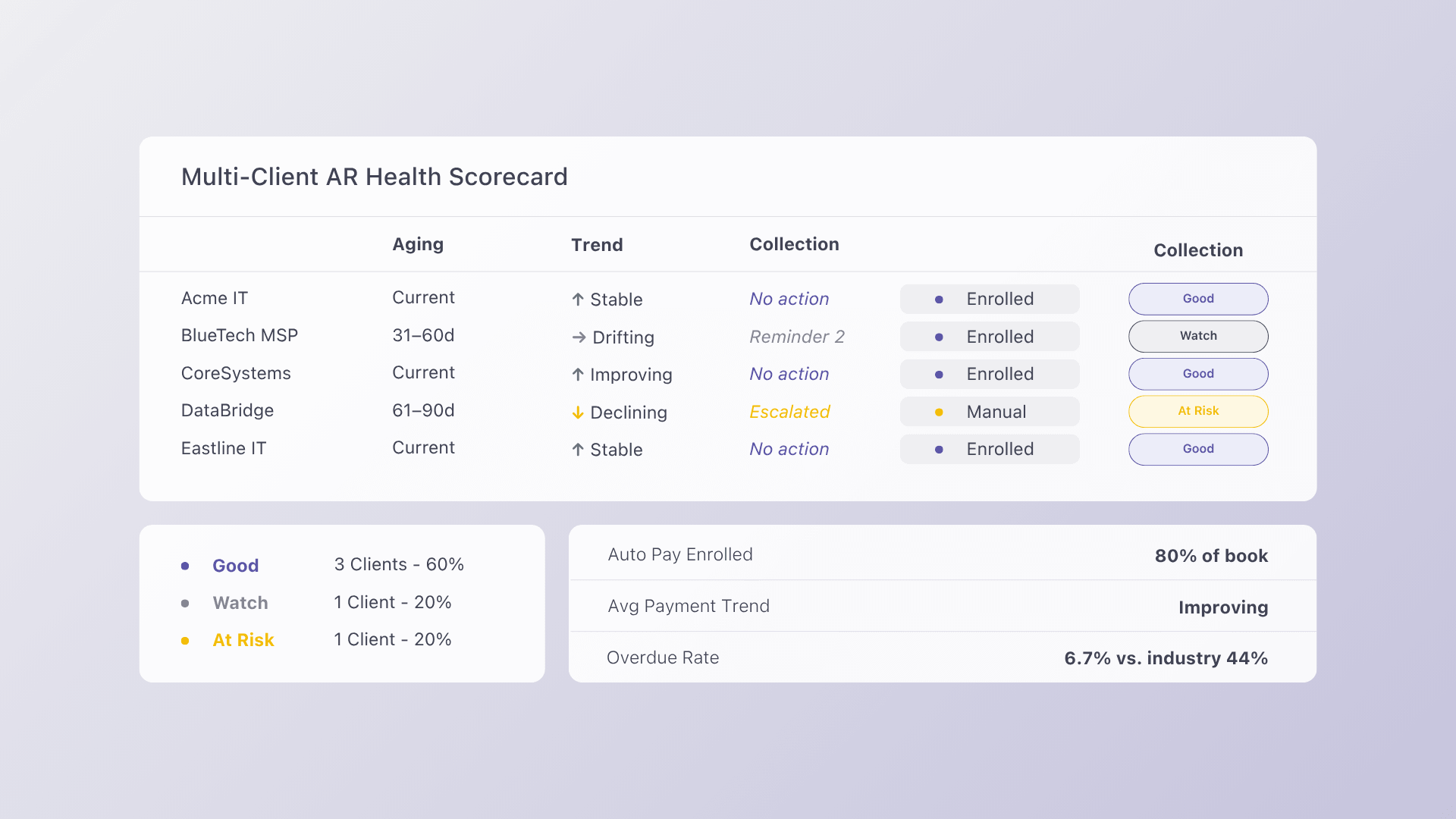
- Unified AR dashboard: View aging invoices, payment statuses, and collection actions across every client in a single screen. No more toggling between your PSA, payment processor, and accounting system to piece together your AR picture.
- Native PSA integration: Bidirectional, real-time sync with ConnectWise, Autotask, and HaloPSA. Invoices created in your PSA push directly to the platform. Payment status updates sync back automatically. No middleware required.
- Auto-reconciliation to QuickBooks and Xero: Every payment maps to the right invoice and posts to accounting with correct fee breakdowns and deposit matching. Month-end close becomes a verification step rather than a reconstruction project.
- Collections Assist: An automated AR workflow that handles payment reminders, overdue follow-up, and escalation across every client account on a configurable schedule. Alternative Payments was the first payments company to embed collections support directly within its product, activating collections as early as 6 days after the invoice due date.
- ACH and credit card processing with flat monthly pricing: No per-transaction ACH fees. Predictable costs that do not scale with billing volume.
- Client-facing financing: Installment payments and B2B buy now pay later options built into the checkout experience, so larger invoices do not stall collections.
The platform’s impact on receivables is measurable. Internal data from Alternative Payments shows that MSPs on the platform have only 6.7% of invoices overdue, compared to 20.5% for MSPs using traditional methods, a reduction of more than two-thirds.
For MSPs managing dozens or hundreds of client accounts, this architecture replaces the duct-taped stack of PSA exports, processor portals, and manual QuickBooks reconciliation with a single system that keeps every piece of AR data in sync.
Book a demo to see how the multi-client dashboard works with your PSA and accounting setup.
Frequently Asked Questions
What AR software integrates with ConnectWise and Autotask for MSPs?
Alternative Payments integrates natively with ConnectWise, Autotask, and HaloPSA, providing bidirectional sync for invoices, payment status, and reconciliation. The platform also connects to QuickBooks and Xero for accounting, creating a complete data flow from PSA to GL without third-party middleware.
How do MSPs track aging invoices across multiple clients without switching between systems?
A multi-client AR dashboard consolidates aging reports, payment statuses, and collection actions into one view. Instead of checking each client’s receivables in your PSA or accounting software separately, the dashboard shows all outstanding invoices, sorted by aging bucket, client, or payment status, in a single interface.
What separates B2B recurring collections from one-time invoice processing?
Recurring service businesses generate invoices from contracts with variable pricing, mid-cycle adjustments, and ongoing client relationships. Generic invoice processors treat each invoice as a standalone transaction and lack integration with PSA tools where billing data originates. Purpose-built platforms for MSPs maintain contract context across the billing lifecycle and automate collections based on client payment patterns rather than static rules.
Does AR automation actually reduce DSO for MSPs?
Yes. According to a 2023 PYMNTS study, companies that automate more than 50% of AR workflows report a 32% reduction in DSO, equivalent to 19 days. For MSPs specifically, Alternative Payments reports that customers on its platform achieve an average DSO of 5 days, compared to 30+ day averages on manual methods.
What is the cost model for Alternative Payments?
Alternative Payments operates on flat monthly pricing with no per-transaction ACH fees. This makes costs predictable as billing volume grows, unlike per-transaction models where fees scale with every invoice processed. Book a demo to see pricing details for your MSP.