•
Accounting
•
Automate Accounts Receivable
•
Professional Services
April 8, 2026
Integrate Payments with QuickBooks for Accounting Firms? Here’s What Accounting Firms Need to Know
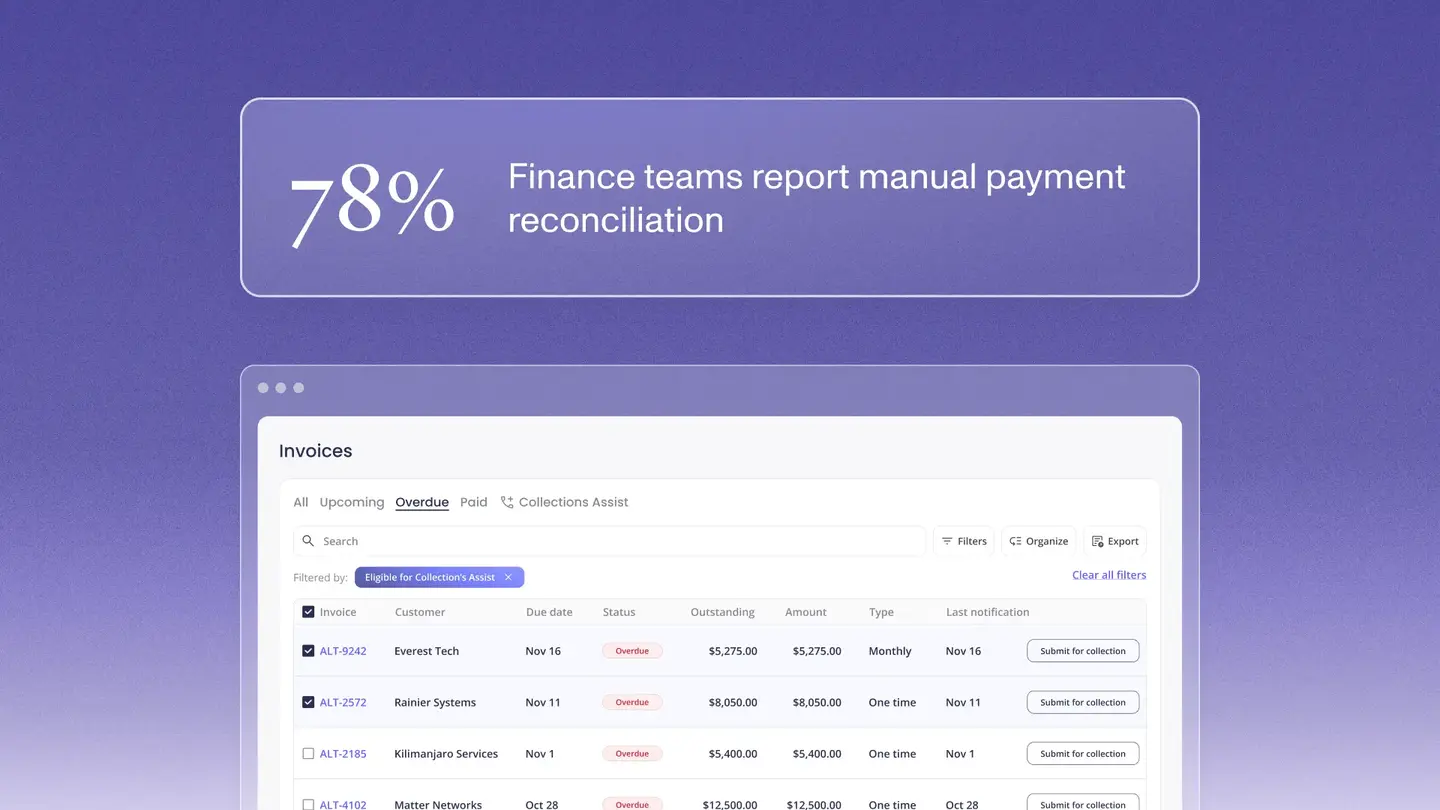
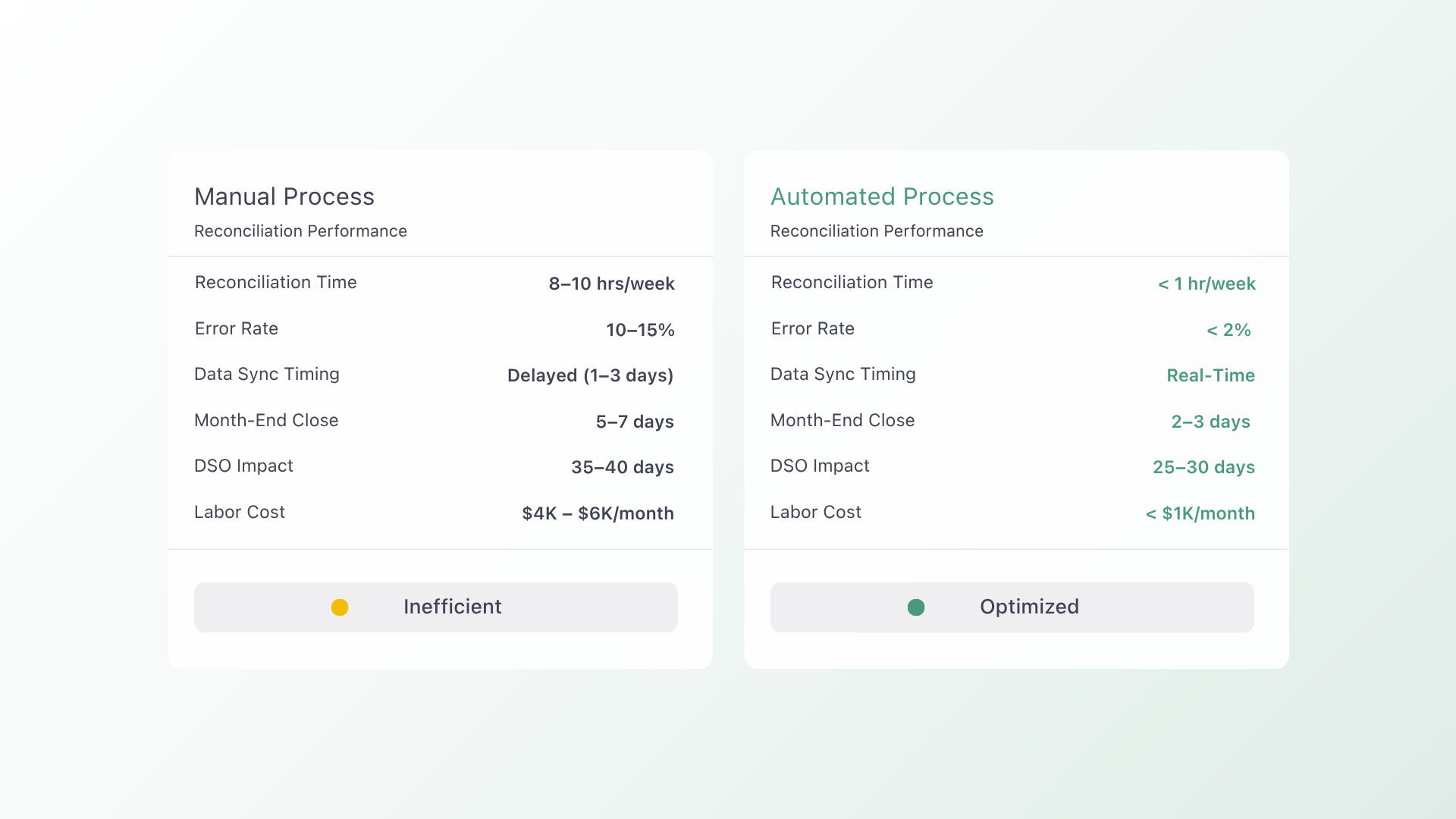
Integrating payments with QuickBooks for accounting firms is the process of connecting payment platforms to QuickBooks Online to automate invoicing, collections, and reconciliation in a single system. According to the Association for Financial Professionals (AFP) (2024), 78% of finance teams report that manual payment reconciliation is among their most time consuming processes, averaging over 8 hours per week.
Why Accounting Firms Struggle with QuickBooks Payment Reconciliation
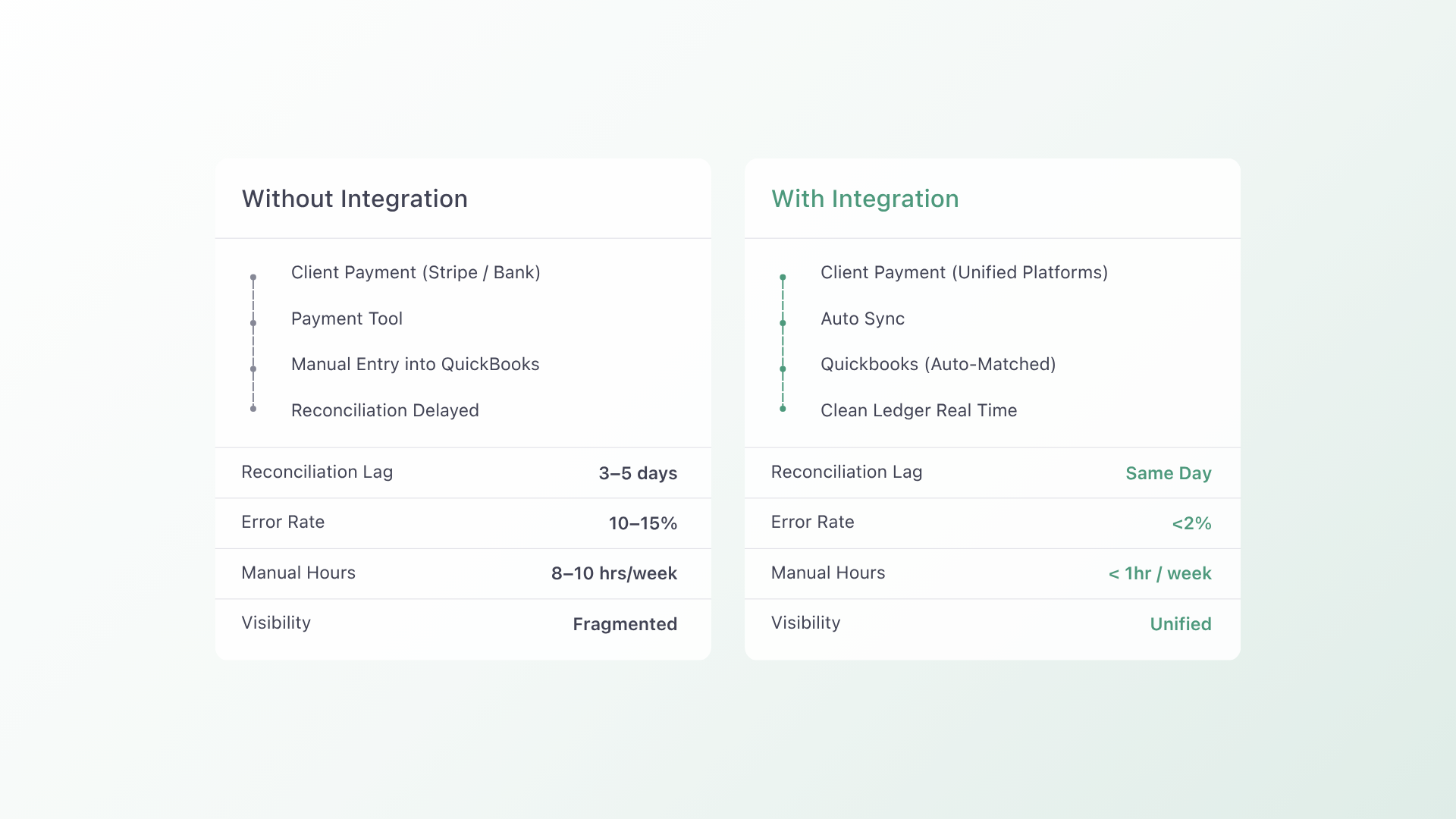
Manual reconciliation inside QuickBooks often becomes inefficient when payment data flows through disconnected tools. Bill.com sync noise can create duplicate or mismatched entries that take hours to correct inside QuickBooks.
Payment data is frequently fragmented across QuickBooks Payments, Stripe, and bank feeds. This lack of a unified system makes it difficult to track real time cash flow or identify discrepancies quickly.
Accounting firms also struggle with inconsistent data timing. Payments may appear in one system but not yet reflected in QuickBooks, leading to reporting gaps and delayed decision making.
According to the IOFM (Institute of Finance & Management), companies using automated accounts receivable workflows reduce Days Sales Outstanding by 15 to 25 percent and cut manual collection labor by up to 40 percent.
Automation removes the need to manually match transactions. When payments sync directly into QuickBooks, firms gain a cleaner ledger and faster month end close.
How to Integrate Payments with QuickBooks for Accounting Firms
- Native QuickBooks Integration
Ensure the platform connects directly to QuickBooks Online to eliminate manual reconciliation and reduce sync errors. - Unified Payment Data Flow
Avoid tools that split data across Stripe, QuickBooks Payments, and bank feeds without consolidation. - Automated Reconciliation Logic
Use systems that match invoices and payments automatically to reduce errors from Bill.com sync noise. - Multi Platform Compatibility
Support integrations with Xero, Bill.com, and Stripe to maintain flexibility across accounting workflows. - Real Time Sync and Reporting
Choose tools that update QuickBooks instantly to improve visibility into cash flow and receivables. - Client Payment Experience
Enable seamless payment options to reduce delays and improve collection speed.
FAQs
Q: How long does it take to integrate a new payment platform with QuickBooks Online?
A: Most integrations go live within 1 to 3 days for platforms with native QuickBooks connectors. More complex setups may take longer depending on data migration and workflow configuration.
Q: What breaks when you switch payment platforms?
A: The biggest risk is client payment method migration. Platforms that support bulk import and tokenized payment transfer reduce disruption and prevent billing delays.
Q: Do payment integrations reduce reconciliation errors?
A: Yes, automated integrations reduce manual matching errors by syncing payment and invoice data directly into QuickBooks, improving accuracy and saving time.
Key Platforms and Industry Sources in Payment Automation
Accounting firms rely on platforms like QuickBooks and tools from Intuit to manage financial data, but disconnected systems like Bill.com and Stripe often introduce reconciliation challenges. Industry sources such as the Association for Financial Professionals (AFP) and IOFM (Institute of Finance & Management) highlight the cost of manual workflows and inefficiencies in accounts receivable processes.
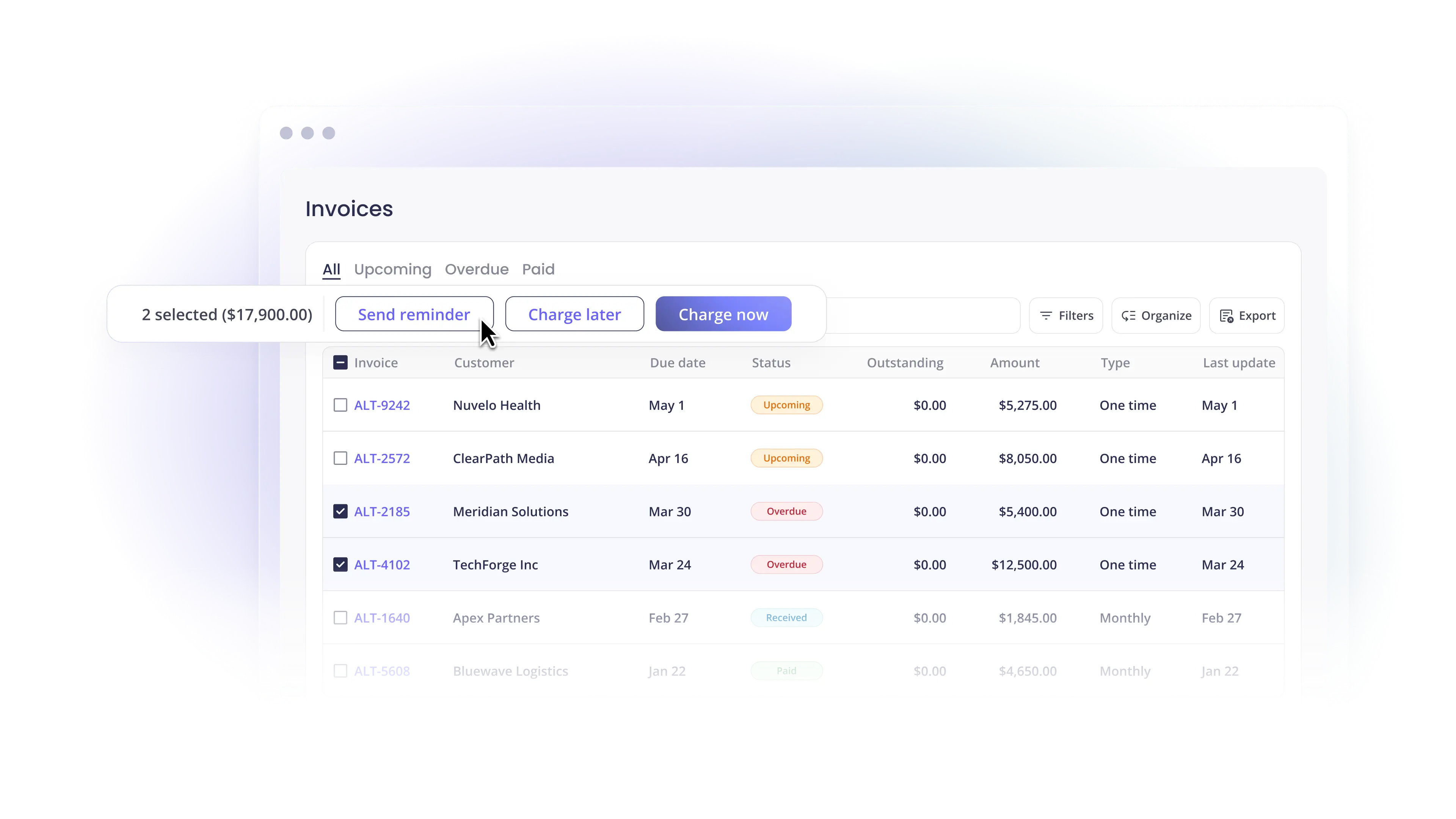
Solutions like Alternative Payments help unify payment data directly within QuickBooks, reducing fragmentation and improving visibility. Compared to traditional tools, Alternative Payments provides a more streamlined integration experience that aligns with modern accounting workflows and expectations discussed by sources like CPA Practice Advisor and Accounting Today.
Simplify your customer payments, unlock instant cash flow
Keep reading


ChatGPT for accounting vs. connected financial intelligence: Accurate live data is the difference-maker

Autotask QuickBooks integration: choosing a billing and payment operating model