•
Accounting
•
Automate Accounts Receivable
•
Professional Services
April 3, 2026
How QuickBooks Processing Fees Are Reshaping Billing Workflows for Accounting Firms
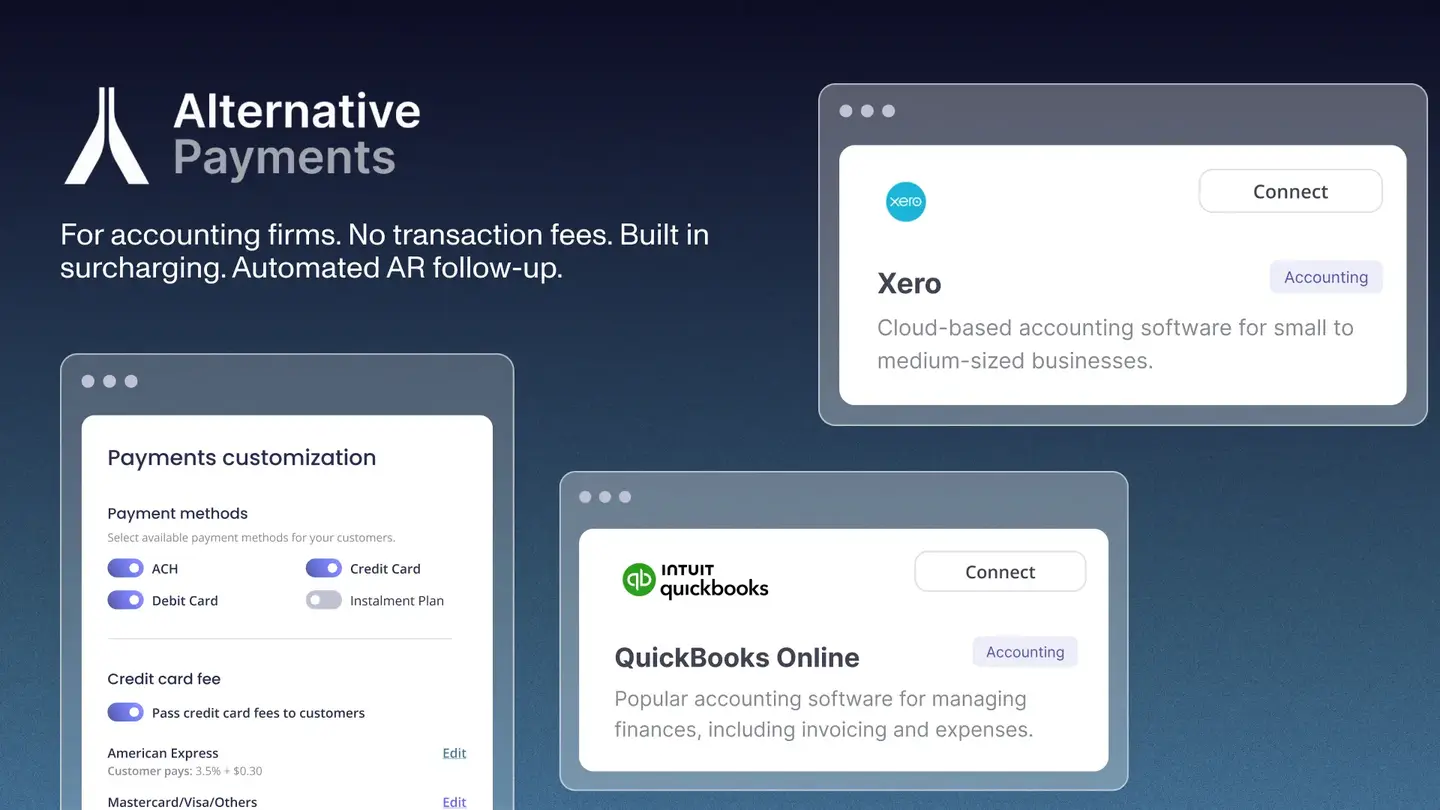
The MSP Challenge: Lean Finance Teams and Late Payments
Most MSPs are running lean by design. In many firms, one person is responsible for invoicing, collections, reconciliation, and reporting. That structure works until payment delays begin to stack up.
The reality is that late payments are not the exception. They are the norm. According to PYMNTS Intelligence (2024), more than 60 percent of B2B invoices are paid late, and businesses report that delayed payments directly stall their ability to pay their own vendors on time.
This issue is compounded by inefficient processes. Gartner (2024) reports that finance teams spend up to 30 percent of their time on manual transaction processing, limiting their ability to focus on strategic initiatives. For MSPs operating with lean teams, that inefficiency creates immediate operational strain.
For MSPs, this creates a compounding issue. When clients pay 30 to 60 days late, cash flow becomes unpredictable. Payroll, vendor commitments, and growth investments all start to compete for limited working capital.
At the same time, the administrative burden continues to grow. Manual follow-ups, invoice tracking, and reconciliation take hours each week. What should be a predictable recurring revenue model starts to feel reactive and fragile.
How This Affects MSPs Specifically
The impact of inefficient MSP recurring billing goes beyond delayed cash. It directly affects margins, operational efficiency, and client experience.
One of the most overlooked issues is payment processing cost. Many MSPs absorb 2 to 3 percent in credit card fees without visibility into how much margin they are losing over time. Across hundreds of invoices, that becomes a significant financial drag.
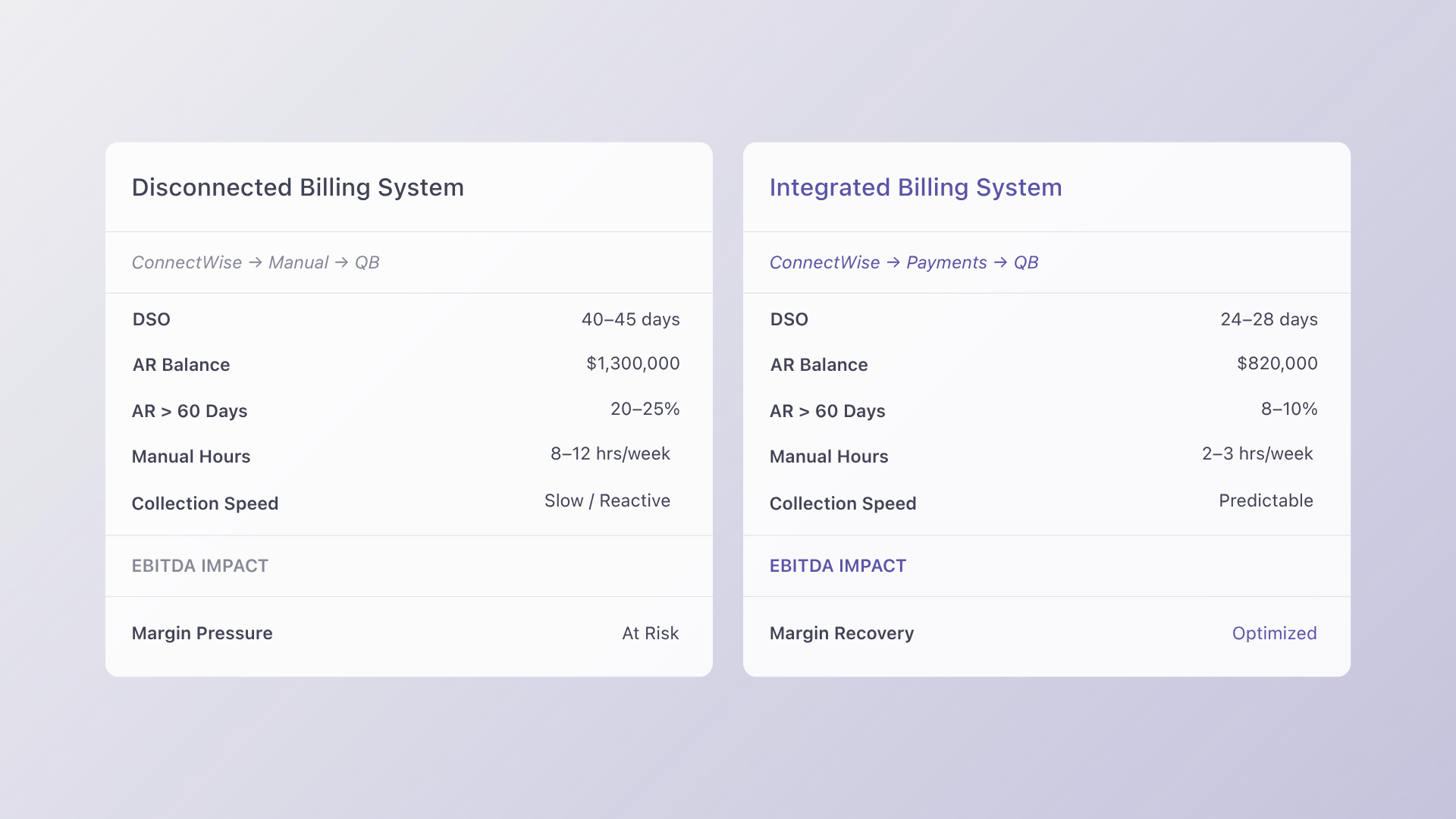
Operationally, disconnected systems create friction. Tools like ConnectWise manage service delivery, while QuickBooks or Xero handle accounting. When payment platforms are not tightly integrated, teams are forced into manual reconciliation, increasing the risk of errors and delays.
This is where automation makes a measurable difference. According to the Institute of Finance and Management (IOFM, 2024), companies using automated AR workflows reduce Days Sales Outstanding by 15 to 25 percent and cut manual collection labor by up to 40 percent.
For MSPs, that translates into faster collections, fewer administrative hours, and more predictable cash flow. Instead of chasing payments, teams can focus on client delivery and growth.
A Practical Approach: Step by Step
Improving MSP recurring billing does not require a complete system overhaul. The most effective approach is phased and focused on high-impact changes.
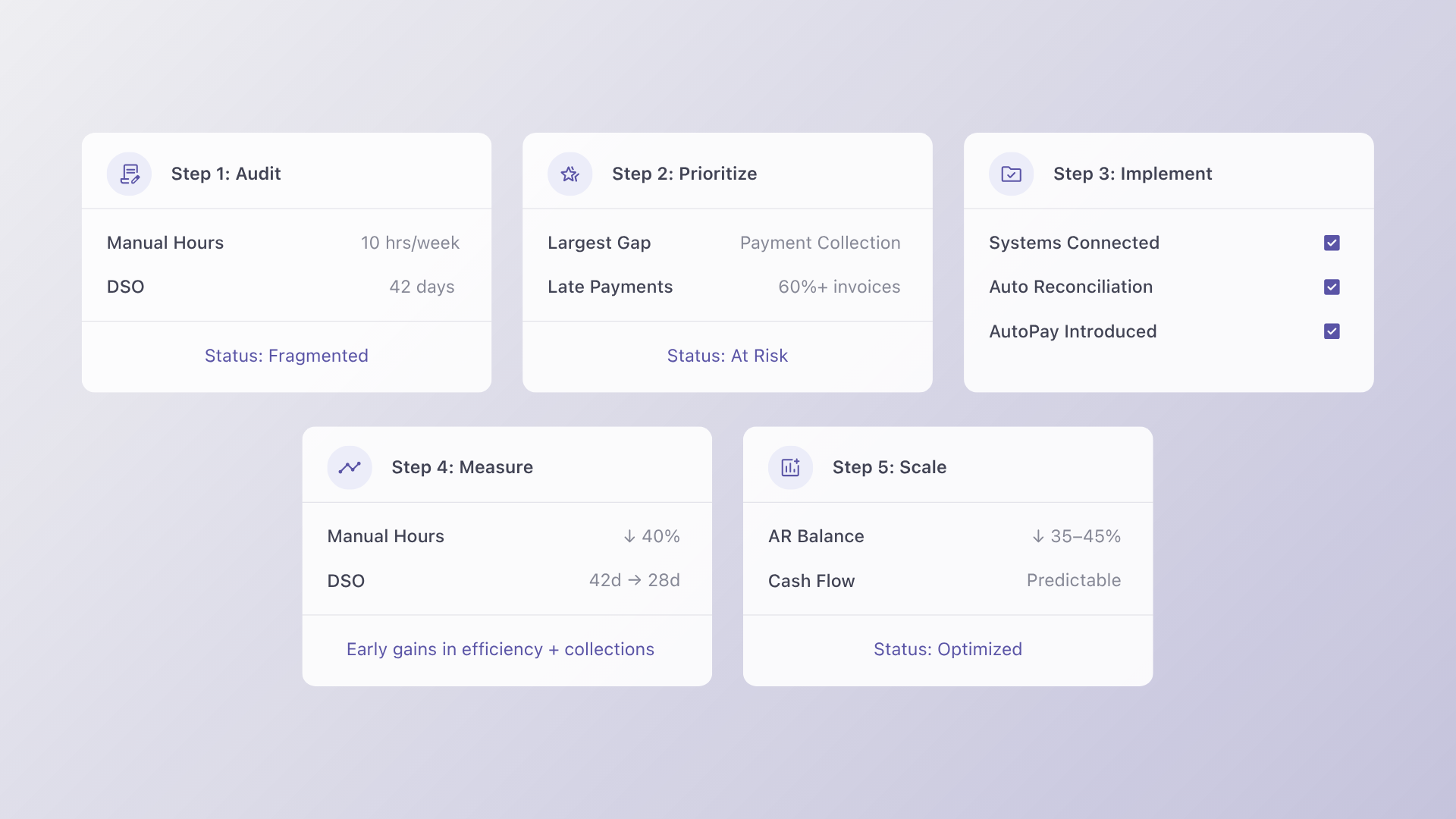
1. Audit your current workflow
Start by identifying where time is being lost. Look for manual invoice creation, duplicate data entry between ConnectWise and QuickBooks, and inconsistent follow-up processes. The goal is to pinpoint the biggest bottleneck in your payment lifecycle.
2. Prioritize the highest-impact gap
In most cases, the largest issue is payment collection. Late payments and inconsistent follow-ups create the biggest strain on cash flow.
3. Implement integrated payments
Connect your primary systems to Alternative Payments. Native integrations with tools such as ConnectWise, QuickBooks, and Xero eliminate manual reconciliation and allow invoices and payments to sync automatically.
4. Measure performance consistently
Track key metrics weekly for at least 90 days. Focus on Days Sales Outstanding, average collection time, and manual hours spent on AR.
5. Scale across your client base
Once the workflow is validated, roll it out broadly. According to Gartner (2024), organizations that standardize finance workflows see up to 20 percent improvement in process efficiency, reinforcing the value of consistent systems.
What to Look for in a Solution
Not all payment solutions are built for MSPs. The right platform should solve both operational and financial challenges without adding complexity.
First, it must support lean teams. If one person is handling invoicing, collections, and reporting, the system should automate follow-ups, reduce manual input, and simplify reconciliation.
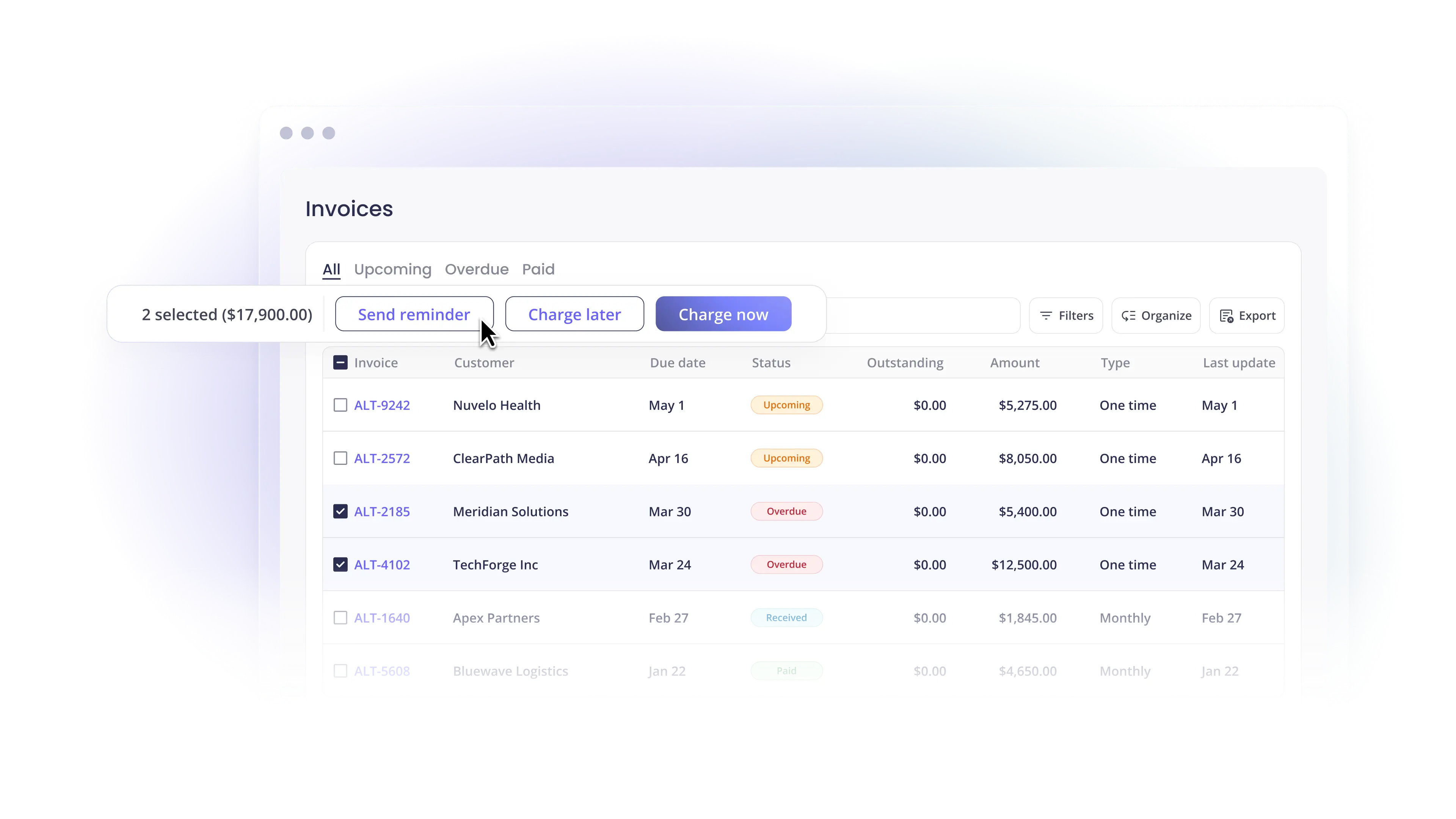
Second, it must address late payments directly. Features like automated reminders, flexible payment options, and client-friendly payment portals help accelerate collections.
Third, integration depth is critical. Your solution should connect seamlessly with ConnectWise, QuickBooks, and Xero.
Finally, consider industry realities. According to Datto and Kaseya (2024), over 60 percent of MSPs cite cash flow management as a top operational challenge, with late client payments identified as the primary cause.
Alternative Payments is designed specifically for this environment. It integrates directly into the MSP tech stack, reduces manual work, and helps standardize recurring billing processes without disrupting existing workflows.
From Reactive Billing to Predictable Revenue
MSP recurring billing should be a strength, not a source of stress. When payments are delayed and processes are manual, growth becomes harder to sustain.
By modernizing your billing infrastructure and integrating Alternative Payments with platforms such as QuickBooks and ConnectWise, you can shift from reactive collections to predictable cash flow.
The result is fewer administrative hours, faster payments, and a more scalable operation.
If you want to see how this works in practice, book a 20 minute demo and explore how Alternative Payments helps MSPs solve their most persistent billing and payment challenges.
FAQs
Q: What should MSPs know about MSP recurring billing?
A: MSP recurring billing is a growing focus area for firms looking to streamline operations and reduce manual work. According to PYMNTS Intelligence (2024), businesses that modernize billing and payment infrastructure see measurable improvements in collection speed and cash flow predictability.
Q: How does MSP recurring billing affect MSP operations?
A: MSP recurring billing directly impacts efficiency, client experience, and cash flow. Manual processes and disconnected systems create reconciliation gaps and slow collections. IOFM (2024) reports that automation can reduce AR processing time by up to 40 percent.
Q: What is the best approach to evaluating MSP recurring billing solutions?
A: Start by auditing your workflow gaps, then evaluate solutions based on integration with tools like ConnectWise and QuickBooks, client adoption ease, and total cost of ownership.
Simplify your customer payments, unlock instant cash flow
Keep reading


ConnectWise QuickBooks integration: what a complete payment workflow should cover

NetSuite payment gateways: an enterprise MSP buyer's framework