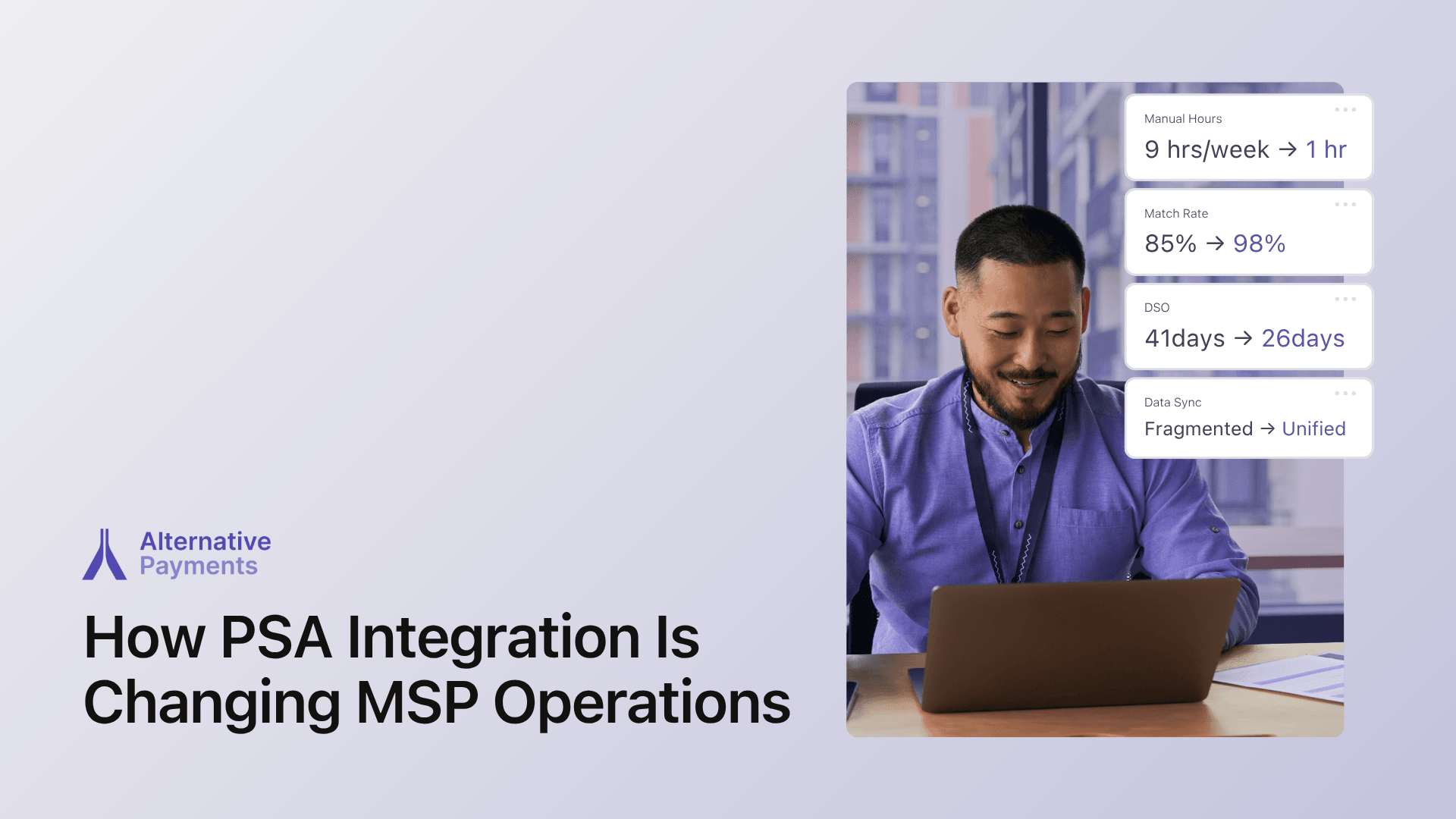
Why PSA Integration Is Harder Than It Looks
If you’ve ever watched a PSA to QuickBooks sync fall apart the moment a new update rolls out, you already know the drill: manual re-entry, reconciliation gaps, and hours lost chasing numbers that should have matched automatically.
For most MSPs, payment data is not living in one place. It is scattered across three or more systems: your PSA, your accounting platform, and whatever payment processor you have bolted on. With no single source of truth, your team is left bridging the gaps by hand.
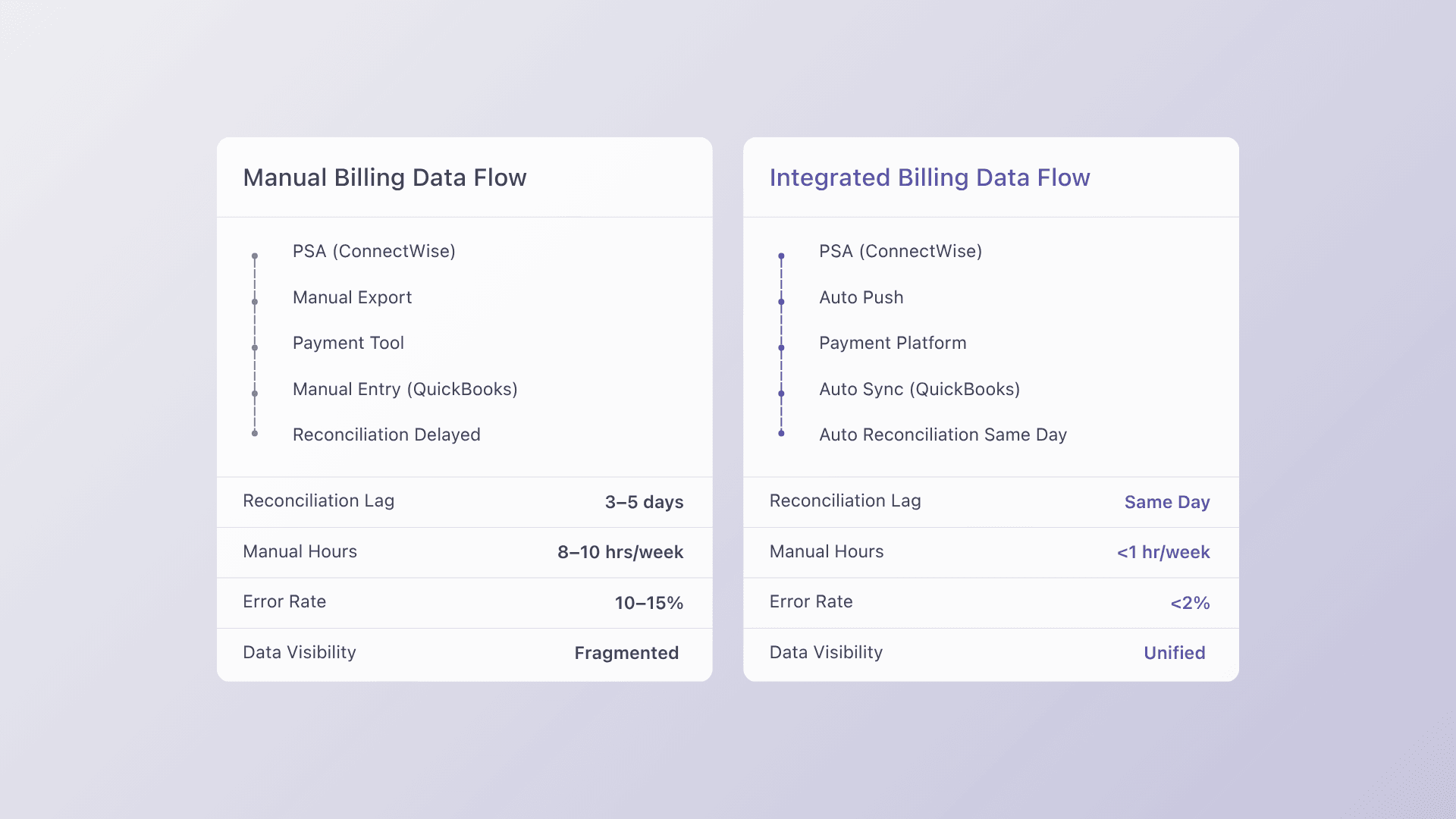
The scale of this problem is well documented. According to the Association for Financial Professionals (2024), 78% of finance teams report that manual payment reconciliation ranks among their most time consuming processes, averaging more than 8 hours per week. For a lean MSP team, that is an entire workday every week spent on work that a properly integrated stack can eliminate entirely.
The problem is not just inefficiency. Disconnected tools create compounding risk: missed invoices, duplicate payments, and clients who fall through the cracks during billing cycles. Before you can fix it, you need to understand what a functional PSA integration stack actually looks like.
The PSA Integration Stack That Actually Works
Not every payment tool was built with MSPs in mind, and that distinction matters when you are trying to create a seamless, automated billing operation. The stack that consistently delivers connects three layers: your PSA, your accounting platform, and a purpose built payment processor.
The Recommended Stack
ConnectWise → Autotask → HaloPSA → Alternative Payments
Alternative Payments offers native integrations with ConnectWise, Autotask, and HaloPSA, which are the three most widely used PSA platforms in the MSP space. Rather than relying on middleware or Zapier workarounds that introduce failure points, native connectors sync data directly between systems in real time.
What Syncs Automatically vs. What Needs Configuration
Automatic:
- Invoice creation and push from PSA to payment portal
- Payment status updates back to the PSA
- Auto reconciliation to QuickBooks or your accounting system
- Payment receipts sent directly to clients
Requires configuration:
- Payment method preferences per client (ACH, card, auto pay)
- Auto pay enrollment rules and timing
- Custom branding on the client checkout portal
- Installment or financing options for larger contracts
The Data Flow
A properly configured PSA integration follows a clean, linear flow: invoice created in PSA, pushed to Alternative Payments portal, client pays via ACH, card, or auto pay, payment posted back to PSA, reconciliation auto posted to QuickBooks.
At no point does a human need to manually move data between systems. That is the difference between truly integrated and just connected.
Setup Walkthrough: From Disconnected to Integrated
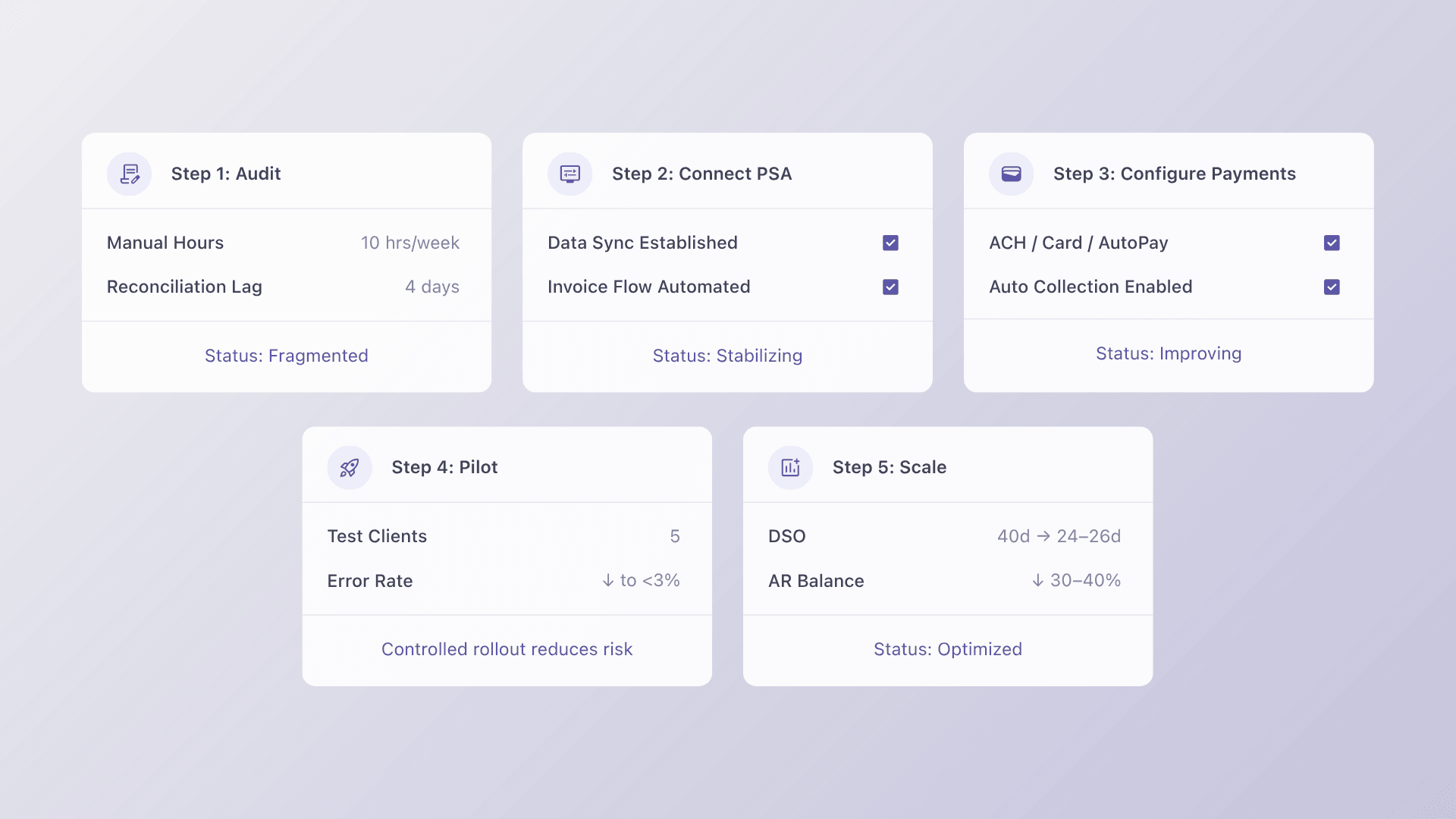
Getting from a fragmented billing process to a fully integrated stack does not require a complete overhaul overnight. Follow these four steps to make the transition cleanly.
Step 1: Audit Your Current Data Flow
Before you connect anything, map out exactly where manual re-entry happens today. Where does data leave one system and get keyed into another? Where do reconciliation gaps appear? This audit becomes your integration checklist. Every manual touchpoint you identify is a failure point the new stack will eliminate.
Step 2: Connect Your PSA First
ConnectWise is the foundation. Start here before connecting your accounting platform or payment processor. The PSA holds the billing source of truth: your contracts, your recurring services, your client data.
Getting this connection right first ensures that everything downstream syncs correctly. Alternative Payments’ native ConnectWise connector installs without middleware and typically goes live within one to three business days.
Step 3: Configure Payment Methods
Not every client will want to pay the same way. Set up ACH, card, and auto pay options based on your client preferences and contract structures. For enterprise clients, consider enabling installment payments to close larger contracts without friction. Configure these settings per client rather than as a blanket rule so you maintain flexibility as your book grows.
Step 4: Pilot with 5 Clients Before Rolling Out
Resist the urge to flip the switch for your entire client base at once. Choose five clients, ideally a mix of contract sizes and payment methods, and run two full billing cycles with them before expanding.
This surfaces any configuration issues in a controlled environment where they are easy to fix. Most MSPs complete full rollout within two billing cycles total.
Integration Pitfalls to Avoid
Even with a solid stack and a clear plan, there are a few mistakes that catch MSPs off guard. Here is what to watch for.
Assuming ‘Integration’ Means ‘Automatic’
Integration is a foundation, not a guarantee. Always test with real invoices from real clients before assuming everything is working correctly. Even native connectors require verification. Confirm that payment statuses are syncing back to your PSA and that reconciliation is posting correctly to your accounting platform.
Migrating All Clients at Once
A full book migration is the fastest way to create billing chaos. If something breaks, it breaks everywhere simultaneously. A phased rollout starting with 10 to 20 clients gives you time to catch and resolve issues before they affect your entire revenue stream.
Underestimating Configuration Time for New Tools
One of the most common complaints MSPs have when adopting new payment platforms is that onboarding takes weeks of configuration and then the new setup breaks existing workflows anyway.
This is why native PSA integration matters so much. Tools that require middleware, Zapier, or custom API work introduce more failure points than they solve. Prioritize platforms that can go live in days, not weeks.
The Right Stack Pays for Itself
PSA integration is not just an operational upgrade. It is a revenue decision. When your billing stack runs without manual intervention, your team stops losing hours to reconciliation and starts focusing on work that actually grows the business.
Clients get a smoother payment experience. You get faster collections, fewer missed invoices, and a single source of truth across every system.
Alternative Payments was built specifically for MSPs navigating exactly this challenge, with native connectors for ConnectWise, Autotask, and HaloPSA, and a setup process measured in days, not weeks.
Book a 20-minute demo and see how Alternative Payments cuts your DSO by 40%.
FAQs
How long does it take to integrate a new payment platform with ConnectWise?
Most integrations go live in one to three days for platforms with native connectors. Avoid tools that require middleware or Zapier workarounds because those add failure points and extend your timeline significantly.
What breaks when you switch payment platforms?
The biggest risk is client payment method migration. Platforms that support bulk import and auto pay re enrollment minimize disruption considerably. Look for this capability before committing to any new platform.
Can you run two payment systems in parallel during migration?
Yes, and it is recommended. A phased rollout starting with 10 to 20 clients is considered best practice. Most MSPs complete full migration within two billing cycles, giving you time to validate the new stack before fully committing.